photo sharing: HDR

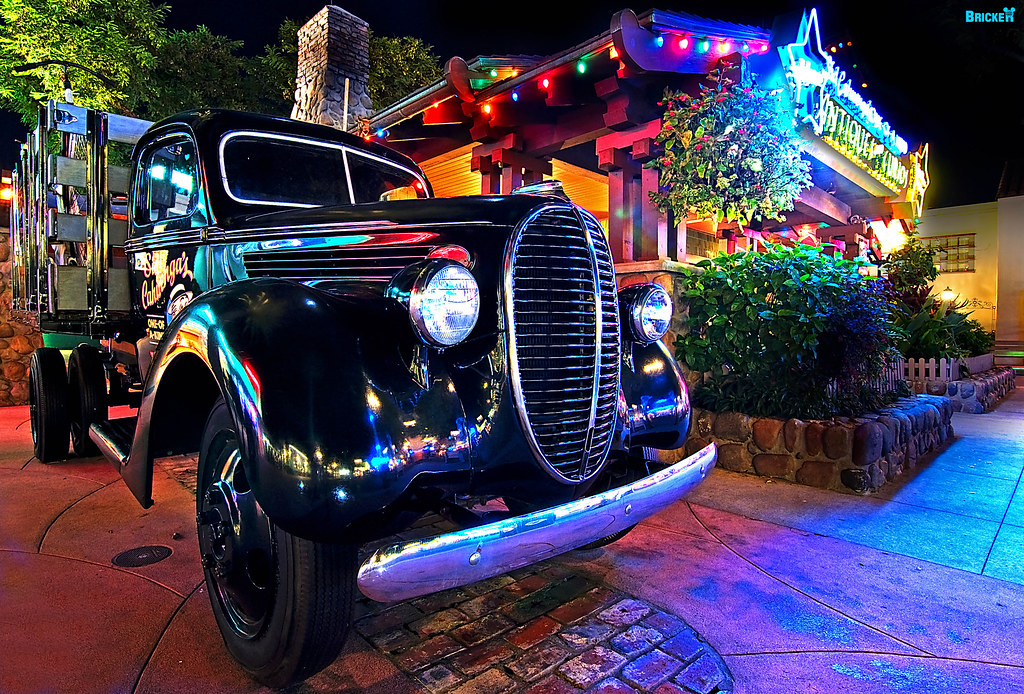
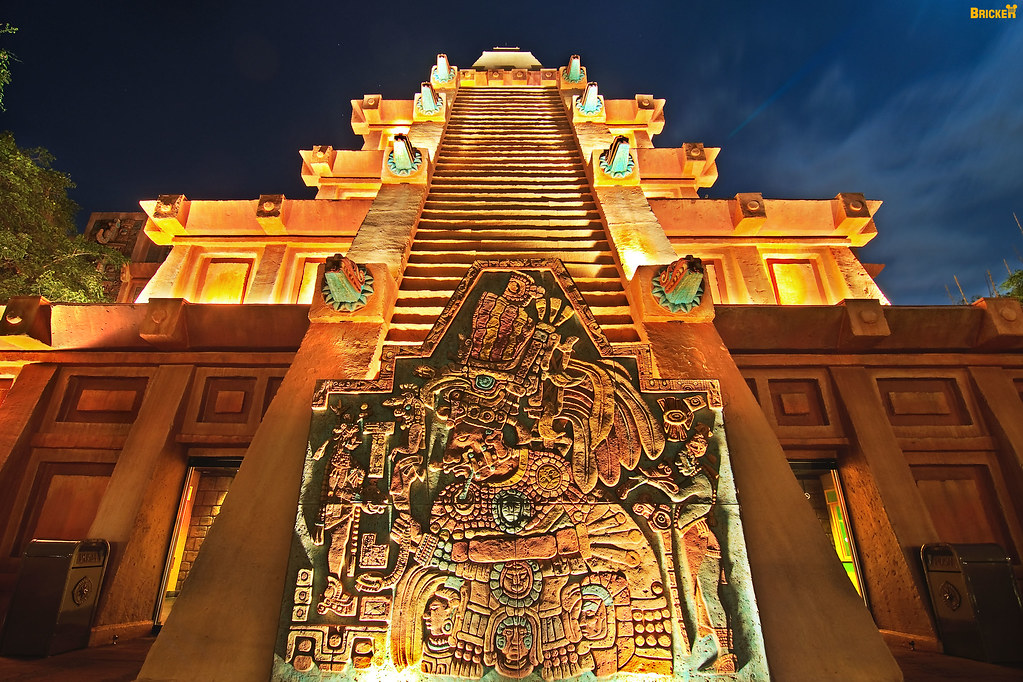
I have a lot of HDRs on our February 2009 and September 2009 photo trip reports.

bwv_hdr_8091_89_90.jpg
 
OMG. All of these photos are absolutely amazing. What software do you use for your HDR post processing. Do you all do true HDR or do you shoot in raw and adjust exposures after the fact?
 

OMG. All of these photos are absolutely amazing. What software do you use for your HDR post processing. Do you all do true HDR or do you shoot in raw and adjust exposures after the fact?

I use 3 or 5 exposures (2 stops apart) and process them in Photomatix. There is still often some clean up work to do in Photoshop.
 
OK, so I tried HDR on one of my pics from our honeymoon at the GF. This is my first attempt. I just used the RAW image and exported 5 different exposures -2, -1, 0, 1, 2. Then I processed with photomatix. I tried two different methods on the same picture. I'm still trying to learn what each slider does. I will persist ..

1
grandfloridian.jpg


2
gf2u.jpg


(Click pictures for Larger version on Flickr)
 
Thank you all so much !! These are some really fantastic photo's....:worship: Let's keep them going !! I am going out here in a bit to try to get some photo's to work with. Wish me luck !:goodvibes
 
Three from WDW:

APostcardhdr.jpg


IMG_6580edhdr.jpg


IMG_8299edpedhdr.jpg


Garden of the Gods, Colorado Springs, CO

IMG_1178edhdr.jpg


Pike Place Market, Seattle

IMG_1404cr2edhdr-1.jpg
 
I went to MVMCP and Osborne Family lights last weekend, took several hundred photos (enough for 100+ HDR photos). I have only processed a few so far and would love some feedback. I appologise for the size of the photos as I have not resized them yet.

Michael
Hollywoodstudioschristmas-1.jpg


cHRISTMASCASTLE-1.jpg


Castlewest.jpg


CASTLESOUTH.jpg


Cindyfountain1-1.jpg


Cindyfountain2.jpg


any and ALL feedback is welcomed
 
The first...you upped the black level to a point where the noise floor is now showing. The horizon is not straight and the background highlights are overexposed.

The second is perhaps slightly overexposed. I really don't see any effect of HDR on this photo...nor does it really need it.

The third has too little of contrast "assigned" to midtones resulting in posterization...which makes the castle look "flat".

The fourth is not bad...but this is a perfect example that every shot does not need HDR. I think this entire image could be captured in one shot of dynamic range. The castle is still a little flat because of the way the tone curve was done. You got some "ghosts" from moving people in the HDR picture.

The fifth is a good picture, but again I don't think there is a need for HDR.

Same for the sixth.

Keep in mind that, while there is other purposes to HDR, the main purpose is to grab details that would otherwise be underexposed or overexposed. Not every image needs HDR. I find HDR extremely difficult to do "right" without getting a fake looking picture that SCREAMS HDR. If you see an image and nothing is particularly underexposed or overexposed, then most likely it won't benefit from this technique. I don't mean to be harsh at all keep in mind. I will admit I made this mistake on my last trip to WDW for a day. I took a bunch of pictures figuring on processing them as HDR only to remember that, unless done "manually", it doesn't work well with moving people and that not every shot benefits from HDR.

 
Keep in mind that, while there is other purposes to HDR, the main purpose is to grab details that would otherwise be underexposed or overexposed. Not every image needs HDR. I find HDR extremely difficult to do "right" without getting a fake looking picture that SCREAMS HDR. If you see an image and nothing is particularly underexposed or overexposed, then most likely it won't benefit from this technique. I don't mean to be harsh at all keep in mind. I will admit I made this mistake on my last trip to WDW for a day. I took a bunch of pictures figuring on processing them as HDR only to remember that, unless done "manually", it doesn't work well with moving people and that not every shot benefits from HDR.

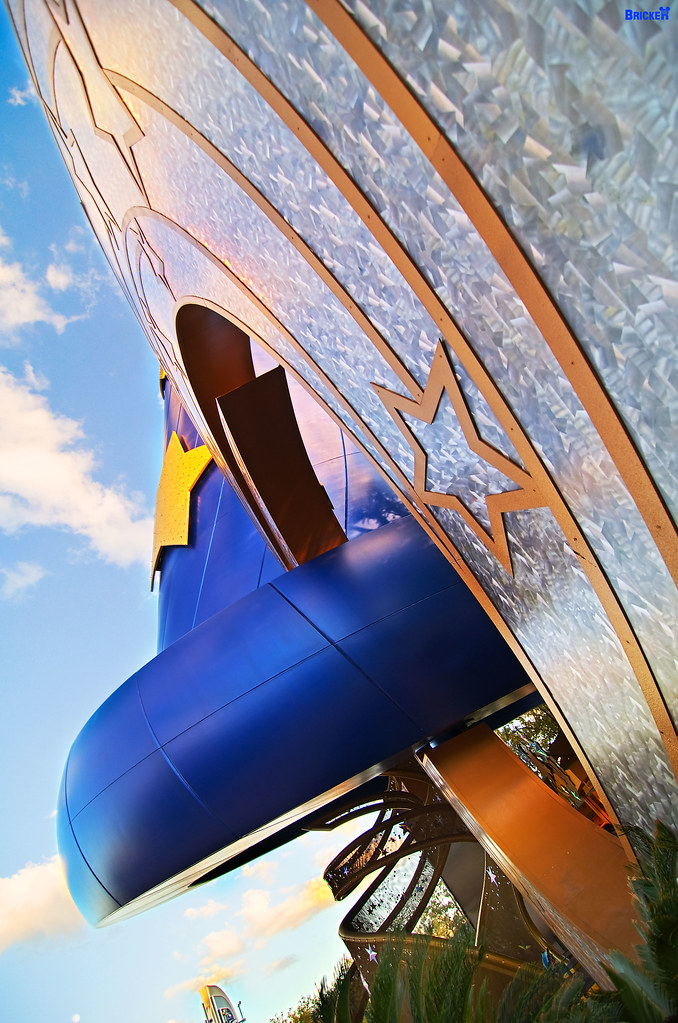
I did not take it harshly... I appreciate the constructive critism. The goal for the photos on this weekend getaway was to shoot some dramatic (natural or un-natural looking) photos at a place where I have hundreds (if not thousands) of "good" pictures. Preferably take 1 photo of each anchor item (Castle, hat globe, tree of life) that is worthy of printing on canvas and using as art.

Thank you
Michael
 
I did not take it harshly... I appreciate the constructive critism. The goal for the photos on this weekend getaway was to shoot some dramatic (natural or un-natural looking) photos at a place where I have hundreds (if not thousands) of "good" pictures. Preferably take 1 photo of each anchor item (Castle, hat globe, tree of life) that is worthy of printing on canvas and using as art.

Thank you
Michael

When you convert the HDR to a normal 8bit(or 16bit I suppose) JPG you want to assign your dynamic range as a curve generally. Make sure the different levels that have a lot of content at them get a good bit of dynamic range. Make sure the sky gets a heavy amount of dynamic range as well. In HDR you want to only use the dynamic range you have when you make the image to the important parts of the photo.

Try it with the same image a few times and maybe read some tutorials on processing HDR. It is a very confusing process especially if you are not familiar with curves.
 
Hi Michael--hope you had a good time at the Christmas party!
I really can't add much to what VVFF already said--I would suggest that you go through the shots you used to make the HDR images and find the one that is most properly exposed (probably the one right around 0 or -/+ 3 EV depending on the quirks of your particular camera). I'll bet you will find that the "normal" exposures will please you even more than the HDR, which I don't think was really needed in any of the images to get a decent range. The reds and oranges in the castle and the fountain shot draw my eye too much from the main subject. The other possibility for your HDRs is to simply go crazy with them to make them purposely NOT look like a photograph, but rather just for a special effect. Those can be fun, too (in moderation).
Anyway, thanks for sharing!

P.S. I posted while you and VVFF were "talking" and didn't see previous posts! Didn't mean the overkill of the point. With the usage you proposed, perhaps the "go crazy" suggestion might be more appropriate to your purpose of having an "anchor' image.
 
I don't have any technical info to add other than I really appreciate you asking this type of question and the way that people are taking the time to give you answers.

I plan on trying some of this myself so it's really helpful. Thanks for asking.... and answering! :thumbsup2

:love2:
Marlton Mom


Disney Vacation Planning. Free. Done for You.
Our Authorized Disney Vacation Planners are here to provide personalized, expert advice, answer every question, and uncover the best discounts. Let Dreams Unlimited Travel take care of all the details, so you can sit back, relax, and enjoy a stress-free vacation.
Start Your Disney Vacation
Disney EarMarked Producer


DIS Facebook DIS youtube DIS Instagram DIS Pinterest DIS Tiktok DIS Twitter

Add as a preferred source on Google

Back
Top Bottom