Adobe Photoshop and CS

Good job, Matt. I've worked with Photoshop for about 5 years now (I now use CS3), and I still think I know and use only about 5 % of the program. It's a powerful program, but you will LOVE it. The things I do aren't so great, maybe, but friends and family think what I do is pretty neat, so that's good!:yay:
 
Thanks everyone for the encouragement. I Know that the pic can be picked apart pretty easily, but criticism is a great tool when your trying to learn something new. If you have any tips for the picture then feel free to tell me!! (No trolls please)

Matt
 
Hey Matt,
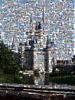
Good job on the pic. Something I would try next time is to darken the bottom some, so the light seems to match a little more. Also, did you darken the top of the dome or was that part of the original pic? Editing pics is something that takes lots of time and lots more patience, good job there bro.

Mark:surfweb:
 
Thanks Mark. No, I darkened the top of the dome, but the bottom I used spot lights on to try and emphasize the darkness on top a little more. SSE I took from a shot of all of us from our last trip there in September.

Matt
 

That is really good!!!!:woohoo: I love coming onto these boards to see peoples photos your are all brill!!!!!!!!
 
Thanks!! Im trying to learn how to do all this stuff, and needless to say its very time consuming. Is Inverness close to Helensburgh? I spent a couple of days there and took the train to Glasgow, Edinburgh, and Sterling.

Matt
 
Something for you to consider next time is to use a red/orange on the top of the dome to act as a reflection from the sky. I would also darken the bottom some, just so it attempts to blend with the overall picture more. Looks good though!
 
Ok, Taking into account what crazydadguy has said I came up with this:

Let me know what you guys think.

Sunset_nepcot2.jpg


Matt
 
I found a set of Photoshop Actions that I really like but it is pretty pricey for a hobby but I was really impressed with what they did. Do you own any of these or similiar actions and if so, where did you get them and for how much? Is this something I can easily do on my own or is it something you use so often that it's better to have an action to do the work for you? I'm really new at working in Photoshop (I have version CS). I guess I just want more input before plunking down $45. Here's where I found the set: http://pinkinkstudios.com/store/product.php?productid=232&cat=4&page=1 The actions I liked the most are: defog, sparkle eyes, warming, boost, super pop, pop, high pass sharpen, focus vignette, burn edges.

Any input would be greatly appreciated! :goodvibes
 
WOW! I didn't even know that site existed, it's great! (Why do I sound surprised? I don't know what I'm doing so I'm sure there is a lot I don't know is out there) Thank you so much boBQuincy!!! :thumbsup2
 
I've purchased actions and borders from this site in the last year. Great customer service - quick and helpful!:thumbsup2 She also provides video tutorials on how to use all her products - and to boot - she has the coolest Aussie accent!!:goodvibes The link is for the PSE4 actions, but to the right you'll see others - check out her processing actions - she offers them for most all Photoshop editions. Her blog is very fun as well!

http://reneeoakenfull.typepad.com/extras/rens-actions-for-pse4.html

I've never tried actions before hers, so it was nice to have the tutorials!
Blessings,
 
Bob,
I looked at the link you posted, they have so much, it's a bit overwhelming! Is there a site for just Elements actions? TIA!:)
Marge
 
Andie Smith (one of the designers at Pink Ink Studios) is a Disney fan. She has some really beautiful Lightroom presets on their site. Just a little encouragement from me to support their work.
 
Hey guys n gals, if anyone uses itunes to manage thier music, there is also a wealth of information in thier podcast section. There is a really good video podcast for photoshop, HERE is the link to it. I highly recommend it.
 
I get some cool podcasts for Lightroom there too. Unfortunately, the people who do them use Mac's, not PC's so some things are a tiny bit different, but overall, it is very informative.
 
anytime i select an item and try to change it( ie lighten that area , drag another park to cover something unsightly) i get a sharp demarcation between the new and the old...sometimes i can use the smudge or blur tool to soften it but sometimes that makes it to obvious,,,guessing i need to change some setting somewhere but have no idea what to change. any ideas?
 
If you are doing this with a brush you need to pick a soft brush from the pull down.

If you are dong this by selecting a specific area you need to feather the selection before making the modification.

Hope this makes sense-
 
yep i tried the feathering but after i selected it:rolleyes1 so i'll try it before...thanks


Disney Vacation Planning. Free. Done for You.
Our Authorized Disney Vacation Planners are here to provide personalized, expert advice, answer every question, and uncover the best discounts. Let Dreams Unlimited Travel take care of all the details, so you can sit back, relax, and enjoy a stress-free vacation.
Start Your Disney Vacation
Disney EarMarked Producer


DIS Facebook DIS youtube DIS Instagram DIS Pinterest DIS Tiktok DIS Twitter

Add as a preferred source on Google

Back
Top Bottom