Opinions/Help with Newborn Photos

HPS3

Disney Fanatic
Joined
Jul 8, 2009
Messages
2,055
Today I took some photos of a friends baby girl. I was asked to take some pictures and did volunteer at no charge. The session wasnt as easy as I thought. The baby is almost 3 weeks old and not very cooperative. I was expecting her to sleep most of the time, but instead she cried more than slept. We didnt get the chance to pose her like I had expected. These are a few shots that I went through this evening. I kinda went over them in LR3. I just got a copy of CS5 but dont know where to begin. I dont know whether to buy actions or just try to edit by trial and error. On the close up shots I have, her skin is really red and peeling.


Marly 1 by Harry Shields, on Flickr
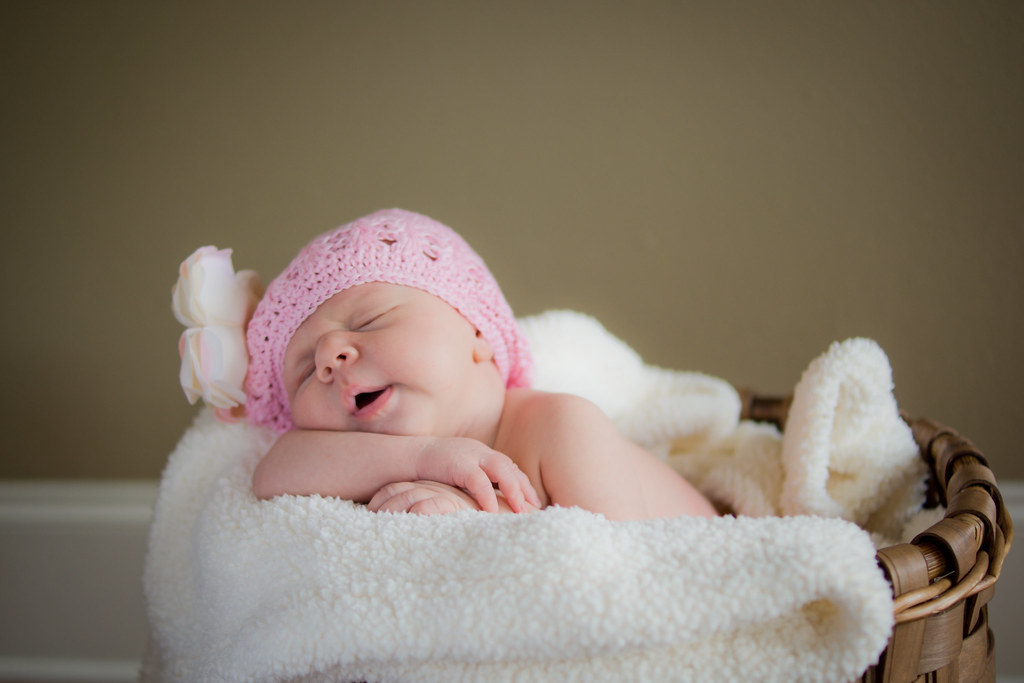
Marly 2 by Harry Shields, on Flickr

Marly 3 by Harry Shields, on Flickr

Marly 4 by Harry Shields, on Flickr

I was trying to use natural light/reflector, but had to use a flash with 33" shoot through umbrella. I had ordered a continuous light which was supposed to be here on Friday but got pushed back to Monday.
 
I'm not a fan of store bought actions. I control my images every step of the way, I don't like to hand it off to an action at the end for a generic once size fits all result.

CS5... Lightroom is Adobe Camera RAW on steroids. And LR works with CS5 as seamlessly as ACR does. In my opinion better because you don't have to use Bridge to navigate. I use LR for RAW processing/image management then right click on that image and edit in Photoshop if I need to. As far as learning to use CS5... if you're new to Photoshop get Adobe's Classroom in a Book. Do the lessons. They will teach you the tools and then some. Then get Martin Evening's Photoshop for Photographers. It will teach you the rest.

These images are nice. The only thing I really see lacking is good definition between the tones in some areas. It makes them, especially the first two, a little flat.
 
Thanks Photo Chick. I usually like to have a lot of contrast and pop but I thought with a newborn they should be more soft. Maybe I'll try to add a little more contrast.
 

It's not so much about having more contrast. High contrast doesn't necessarily equal good contrast. The goal is well defined tones.
 
Mark, thanks for chiming in. I actually ran these in LR3 with a -15 to -20 clarity. I'm not very familiar with adjusting tones like Photo Chick suggested.
 

New Posts


Disney Vacation Planning. Free. Done for You.
Our Authorized Disney Vacation Planners are here to provide personalized, expert advice, answer every question, and uncover the best discounts. Let Dreams Unlimited Travel take care of all the details, so you can sit back, relax, and enjoy a stress-free vacation.
Start Your Disney Vacation
Disney EarMarked Producer


DIS Facebook DIS youtube DIS Instagram DIS Pinterest DIS Tiktok DIS Twitter
Add as a preferred source on Google

Back
Top Bottom
