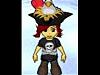
Yes, excellent question. what is vmk pal and how do you get it? Also, I didn't have to host my picture. I copied it to paint and from there copied it to My Documents. um, is this illegal? Oh, boy, that just occurred to me that it might be illegal!! OH BOY!!!
Now, that I've told everyone that, PLEASE DON'T ARREST ME!!! I WANT TO LIVE!!!!
Yes, excellent question. what is vmk pal and how do you get it? Also, I didn't have to host my picture. I copied it to paint and from there copied it to My Documents. um, is this illegal? Oh, boy, that just occurred to me that it might be illegal!! OH BOY!!!
Now, that I've told everyone that, PLEASE DON'T ARREST ME!!! I WANT TO LIVE!!!!
I'm so bloody lost. my print screen key on my lappy has "Sys Req" right below it so i'm not sure if it's the right one. also when you press it do u hold it in or just press? and i still don't know how to take a pic of my VMK character!
I'm so bloody lost. my print screen key on my lappy has "Sys Req" right below it so i'm not sure if it's the right one. also when you press it do u hold it in or just press? and i still don't know how to take a pic of my VMK character!
ok you need to press shift and press it and the jack sparrow thing in ur sig is WAY to big it is over the bytes limit here is the signiture rules http://disboards.com/showthread.php?t=976051
~bravehook~
ok you need to press shift and press it and the jack sparrow thing in ur sig is WAY to big it is over the bytes limit here is the signiture rules http://disboards.com/showthread.php?t=976051
~bravehook~
Anne Bonny, the Print Screen/SysRq button is the correct one. You don't need to hold it down. Pressing it alone, it will take a screenshot of everything on your computer that is visible at the time. If you want to take a screenshot of only the VMK screen to make it easier, hold down the Alt key and press the Print Screen key at the same time. Then you can paste into a program like Paint.
Ok, I dont have Photobucket or anything like that, except Paint, is that going to be a problem and if not can u explain the steps using paint? or PM me
Ok so I got everything so far, I've taken an image and I've made it to 100x100 pixels, I've hosted it on imageshack and got the code, but now when I paste the code into the browse bar for an avatar, it doesn't respond; the code is there ready to go but the computer isn't responding when I click change my avatar, but I still can choose one of the pre-set avatars alright. Any suggestions?
Our Authorized Disney Vacation Planners are here to provide personalized, expert advice, answer every question, and uncover the best discounts.
Let Dreams Unlimited Travel take care of all the details, so you can sit back, relax, and enjoy a stress-free vacation.





 Also, I didn't have to host my picture. I copied it to paint and from there copied it to My Documents. um, is this illegal? Oh, boy, that just occurred to me that it might be illegal!! OH BOY!!!