explain your avatar

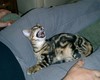
Mine is our cat Rocko - with his markings, we should have named him "Evil Eye".
 
It's my bulldog Ozzy. He comes with us to Downtown Disney at Disneyland occasionally and wears his ears. This picture was from when we took him to go pick up my race packet for the DL Half last year :)
 
I always liked the Mickey Mouse comic book stories that focused on Scrooge McDuck. I've also been accused of making him look like a spendthrift.
 

Mine is my 4 year old grandaughter in her Belle princess dress, admiring the stained glass picture of Beast & Belle at the exit of BOG.
 
call me stupid...but I can't figure out how to put a picture in mine so can someone please explain to me how to do it? I can't stand not having a picture!
 
DD#2 made this for me, probably from bitmoji. Although I look 20 years older in real life, this is me to a "T" - short red hair, perpetually skeptical raised eyebrows, and sunglasses sitting on top of my head!
 
I never had an avatar on the old boards, so thought I’d get modern on the new boards! We actually don’t do that much Disney travel, but I knew I could find something Disney-related to post.

So, it’s my darling children looking down with wonder at the Wonder before boarding. The big one had sailed on her before, but the little one had never been. I just always thought it was kinda cute.
 
Mine is me at work, at the Georgia Renaissance Festival. It was an overcast, kind of gloomy day, and I just love how bright I am in the midst of it, lol.
 
Avatar1.png

Go to your username at the top right of the screen. Either hovering over it or clicking on it will give you this menu screen.

Avatar2.png

Choose "Avatar" in the left column, second from the bottom.

Avatar3.png

Select the "Choose File" button. From there you'll have to select the picture you would like to use. Mine may be a little different from your screen, so I didn't want to snap a picture and make things confusing.

Avatar4.png

Once you've selected your picture, click on the "Save Changes" button. Done!
Avatar1.png

Go to your username at the top right of the screen. Either hovering over it or clicking on it will give you this menu screen.

Avatar2.png

Choose "Avatar" in the left column, second from the bottom.

Avatar3.png

Select the "Choose File" button. From there you'll have to select the picture you would like to use. Mine may be a little different from your screen, so I didn't want to snap a picture and make things confusing.

Avatar4.png

Once you've selected your picture, click on the "Save Changes" button. Done!
Avatar1.png

Go to your username at the top right of the screen. Either hovering over it or clicking on it will give you this menu screen.

Avatar2.png

Choose "Avatar" in the left column, second from the bottom.

Avatar3.png

Select the "Choose File" button. From there you'll have to select the picture you would like to use. Mine may be a little different from your screen, so I didn't want to snap a picture and make things confusing.

Avatar4.png

Once you've selected your picture, click on the "Save Changes" button. Done!
 
It's nap time now, it's time to lay down....Mickey makes a great pillow for my grandson. Breathe Mickey!
 
My is of my favorite cartoon as kid voltron


Disney Vacation Planning. Free. Done for You.

Our Authorized Disney Vacation Planners are here to provide personalized, expert advice, answer every question, and uncover the best discounts. Let Dreams Unlimited Travel take care of all the details, so you can sit back, relax, and enjoy a stress-free vacation.
Start Your Disney Vacation
Disney EarMarked Producer


DIS Facebook DIS youtube DIS Instagram DIS Pinterest DIS Tiktok DIS Twitter

Add as a preferred source on Google

Back
Top Bottom