What is "Bracketing"?

Soupermom

DIS Veteran
Joined
Feb 12, 2004
Messages
1,939
This is a setting which is new to me, on my new Canon XS 40. Can someone explain what it does and when I should possibly use it? Thanks!
 
This is a setting which is new to me, on my new Canon XS 40. Can someone explain what it does and when I should possibly use it? Thanks!

(Someone please correct me if I'm mistaken)
"Bracketing" is the process of taking a series of pictures (usually 3) when you are uncertain about lighting conditions. Generally, what happens is you evaluate the light (using a meter built into the camera or a handheld meter), then set the aperture and shutter speed (or have the camera do that for you.) When you bracket, you're essentially letting in one "stop" less light, the evaluated amount of light, and one "stop" more light.

I don't have any good examples to post, but when dealing with, say, a harsh lighting environment or an environment when you need to overcome particularly strong backlighting or spot lighting, there's a good chance your light meter will evaluate the light incorrectly. By bracketing, you give yourself a better chance to get a properly-exposed photograph.

Edit: here's a Wikipedia article on the subject: http://en.wikipedia.org/wiki/Bracketing
 
(Someone please correct me if I'm mistaken)
"Bracketing" is the process of taking a series of pictures (usually 3) when you are uncertain about lighting conditions. Generally, what happens is you evaluate the light (using a meter built into the camera or a handheld meter), then set the aperture and shutter speed (or have the camera do that for you.) When you bracket, you're essentially letting in one "stop" less light, the evaluated amount of light, and one "stop" more light.

I don't have any good examples to post, but when dealing with, say, a harsh lighting environment or an environment when you need to overcome particularly strong backlighting or spot lighting, there's a good chance your light meter will evaluate the light incorrectly. By bracketing, you give yourself a better chance to get a properly-exposed photograph.

Edit: here's a Wikipedia article on the subject: http://en.wikipedia.org/wiki/Bracketing


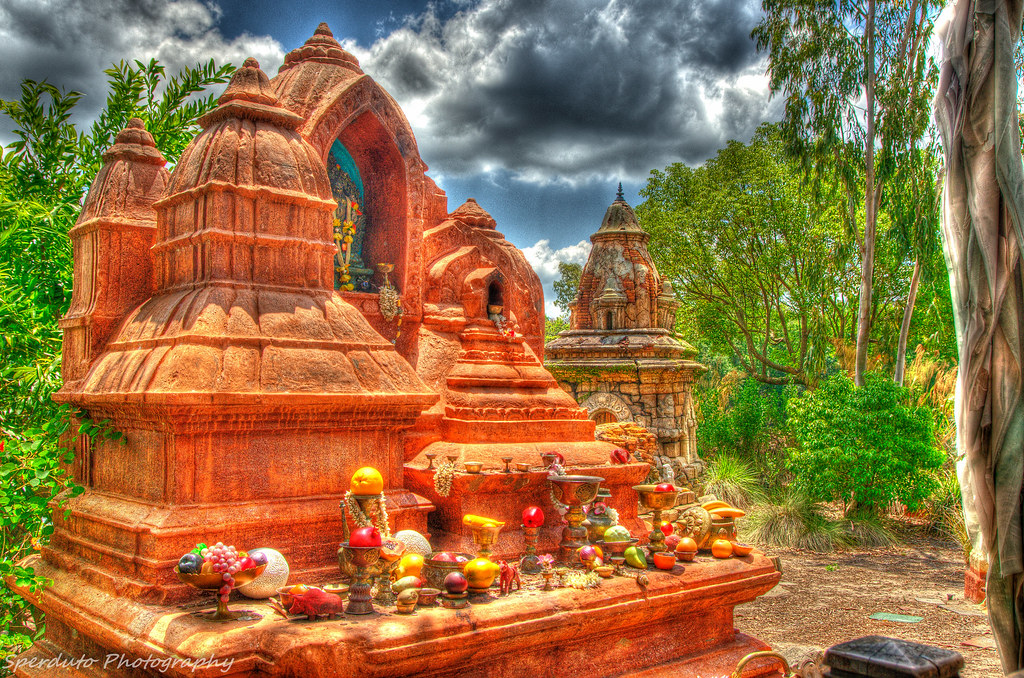
Here are some example of bracketed HDR shots I took in different situations.
This first one is a little more realistic while the second one I went really heavy in post processing. Both taken with 3 shots and each one is 1 off each other in exposure (-1,0,1) for example. Then all three pictures combined in Photomatix with some addition processing in Nik Color Efex and Lightroom and this is what I get.

Edit* Like Reimo said, its good for difficult lighting situations but you can have fun with it and get some not so ordinary shots (which is some people love and some people hate)

7716217508_20deeaa6ca_b.jpg
[/url] FL Wetlands by Mike Sperduto

Animal Kingdom HDR by Mike Sperduto
 
That explanation is correct. When set for bracketing, the camera will automatically adjust the settings, to take the same picture at 3 different exposures -- under-exposed, a middle exposure, and over-exposed. Thus, you have 1 middle image, 1 image really preserving highlight detail, and 1 image really preserving shadow details.
You can then use computer software to merge all 3 images into an HDR image -- High dynamic range. Basically, an image that combines the best parts of all 3 images.

Here are 2 images, the first image was just the middle exposure. The second image is 3 bracketed images combined into one.


Epcot China ceiling by Havoc315, on Flickr


Epcot China ceiling 2 by Havoc315, on Flickr

Another set. The second pic is HDR:


Epcot China Garden 2 by Havoc315, on Flickr


Epcot China Garden by Havoc315, on Flickr

Notice the extra details in the HDR pictures. While it sounds difficult, several computer programs actually merge the images really easily. (I used Paintshot Pro X5, but these 2 examples were actually merged within the camera itself).
 

LIke already said, bracketing is shooting one shot where you think the exposure value should be then one under and one over. And sometimes more than that if you really want to cover yourself. With film it's often a necessity but with digital if you understand how to interpret your histogram you can get away without it much of the time. About the only time I bracket with digital is if I have a really broad dynamic range I'm shooting, like people in shade with bright sun just beyond. Or when I'm doing an HDR.

When you use a bracketing mode on a camera most of the time it takes one shot in the bracketing cycle each time you release the shutter. Meaning the first shot is one under, the second is on and the third is one over. So it takes multiple button presses usually to complete the sequence. Check your manual to find out exactly how it works with your camera.
 
Sounds like this would be a good option when I am photographing my son on the golf course. The lighting there is either really good, or really bad on any given hole/day.
 
Sounds like this would be a good option when I am photographing my son on the golf course. The lighting there is either really good, or really bad on any given hole/day.

In terms of creation of HDR images, it doesn't work well for pictures of people. Since it is taking 3 pictures, any movement, and it will be very difficult to merge the 3 photos.

Yes, you can use it just to get 3 images to choose from. But in that case, you're probably best served just adjusting the exposure yourself.
 
Sounds like this would be a good option when I am photographing my son on the golf course. The lighting there is either really good, or really bad on any given hole/day.

Just remember when bracket shooting a moving subject you may get some ghosting with that person moving. Edit* ^ Looks like we both had the same thought at the same time lol ^ Great minds think alike hahaha
 
In terms of creation of HDR images, it doesn't work well for pictures of people. Since it is taking 3 pictures, any movement, and it will be very difficult to merge the 3 photos.

Yes, you can use it just to get 3 images to choose from. But in that case, you're probably best served just adjusting the exposure yourself.

Bracketing mode on the camera has traditionally been to give you 3 exposures to choose from and not to create HDR's. With HDR's many photographers bracket manually because it can be desirable to have more or less than one stop between the exposures or they want more than 3 exposures.. basically the standard bracketing mode doesn't get it done or is slower than just changing the exposure value. There is also the issue of constant variables, which variable will change and making that choice yourself rather than leave it up to the camera.

And you can create HDR images from files where the person moved. With no ghosting.
 
Bracketing mode on the camera has traditionally been to give you 3 exposures to choose from and not to create HDR's. With HDR's many photographers bracket manually because it can be desirable to have more or less than one stop between the exposures or they want more than 3 exposures.. basically the standard bracketing mode doesn't get it done or is slower than just changing the exposure value. There is also the issue of constant variables, which variable will change and making that choice yourself rather than leave it up to the camera.

And you can create HDR images from files where the person moved. With no ghosting.

I've routinely used bracketing for HDR images, but of course it can be done manually to a greater effect. But for a mild HDR effect, bracketing is a nice short cut.

And yes, you can create HDR images where a person has moved -- but it's much harder. If you simply allow computer software to automatically merge the images, you'll get blur or ghosting, as in this HDR image:


20120905_170 by Havoc315, on Flickr
 
And yes, you can create HDR images where a person has moved -- but it's much harder. If you simply allow computer software to automatically merge the images, you'll get blur or ghosting, as in this HDR image:

I've not foud it to be that much more difficult nor have I found it to require a lot of extra work. But I guess how difficult really depends on your frame of reference.
 
I've not foud it to be that much more difficult nor have I found it to require a lot of extra work. But I guess how difficult really depends on your frame of reference.

On psp5x, I just click the 3 images and they automatically merge into HDR. About a 2 second process.
To do what you suggest, I assume you would layer the pictures and manually select the elements you want from each picture. (and thus only use the moving person from 1 of the 3 images)
 
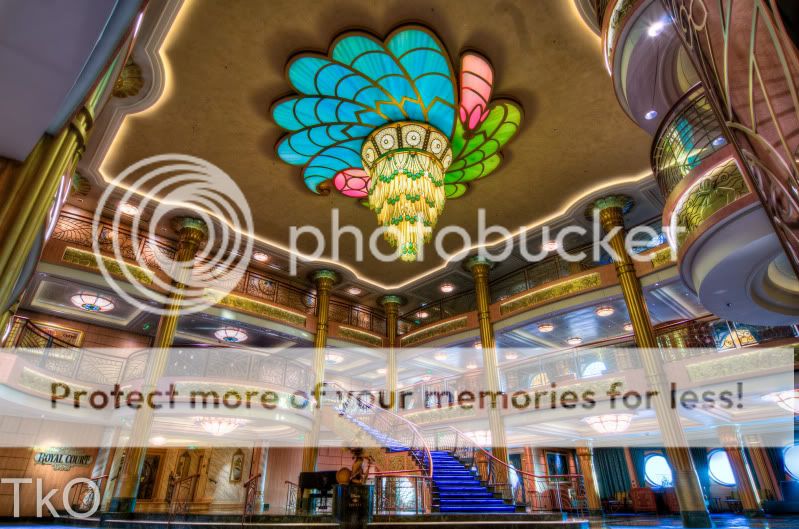
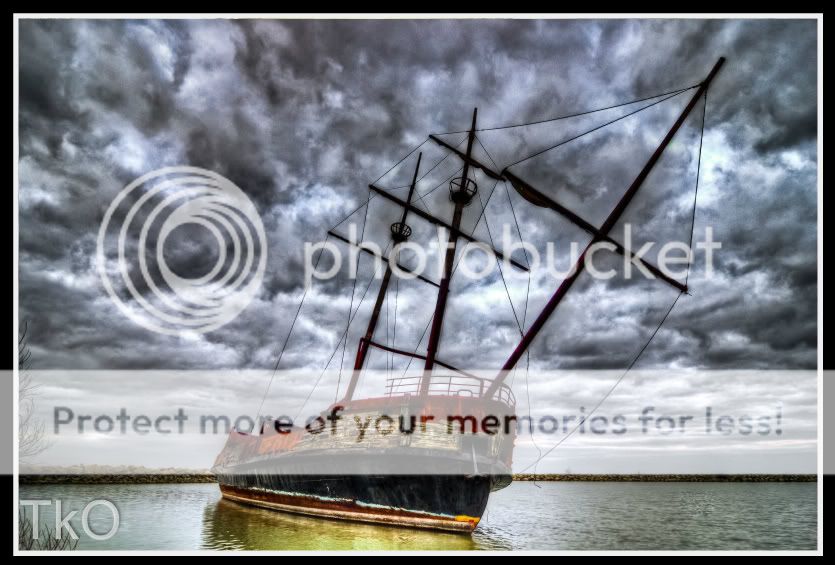
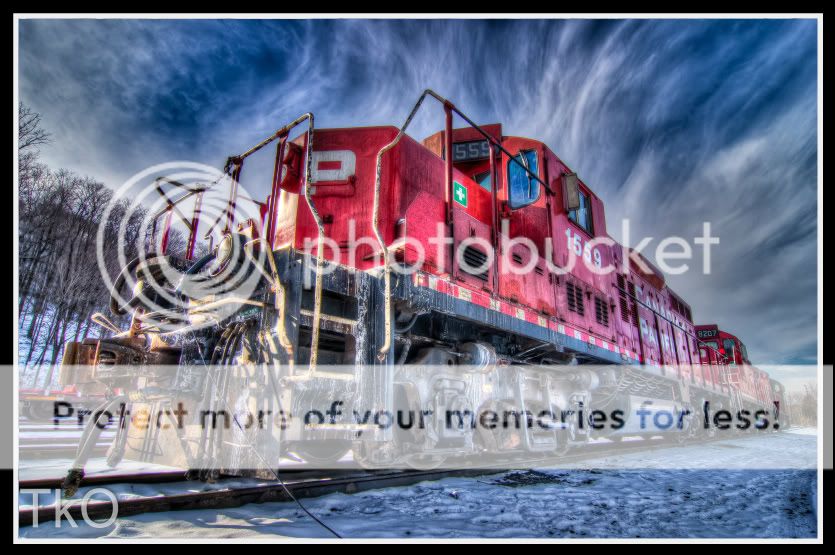
bracketing yay! OK if I post a few HDR Examples?... as soon as my currently upload is done I will anyway lol heres a few...

IMGP0393_4_5_6_7.jpg


IMGP0222_3_4_5_6.jpg


IMGP0810_1_3-1.jpg


IMGP0342_3_5_6_7.jpg
 
That shot of the Fantasy atrium is fantastic!!!!!!! What lens did you use to get all that?
 
On psp5x, I just click the 3 images and they automatically merge into HDR. About a 2 second process.
To do what you suggest, I assume you would layer the pictures and manually select the elements you want from each picture. (and thus only use the moving person from 1 of the 3 images)

I've never used PSP for HDR. And that's probably what the difference is in our experiences. Dedicated HDR software will let you do more fairly easily. As will some of the tools in Photoshop.

And just back to the OP... bracketing is used for HDR but it's not the only use for bracketing. This thread is going in a direction that could lead one to think that you can't just bracket to choose the right exposure, and really, that's where bracketing came from. It's used to make HDR's in addition to that.
 
That shot of the Fantasy atrium is fantastic!!!!!!! What lens did you use to get all that?

Pentax DA 12-24mm on my K5.

The only time I find myslef using bracketing other than HDR is after it snows. That way I get a better chance at the image I want with out blowing out all the highlights
 
And just back to the OP... bracketing is used for HDR but it's not the only use for bracketing. This thread is going in a direction that could lead one to think that you can't just bracket to choose the right exposure, and really, that's where bracketing came from. It's used to make HDR's in addition to that.

Yes, bracketing was used a lot (by those that could afford it) for slide film where the exposure became the final product and with the small dynamic range there was little room for error. Even now it is best to get as good an exposure as possible and bracketing is a good idea in tricky lighting. And now it's almost free! :)


Disney Vacation Planning. Free. Done for You.

Our Authorized Disney Vacation Planners are here to provide personalized, expert advice, answer every question, and uncover the best discounts. Let Dreams Unlimited Travel take care of all the details, so you can sit back, relax, and enjoy a stress-free vacation.
Start Your Disney Vacation
Disney EarMarked Producer

New Posts


DIS Facebook DIS youtube DIS Instagram DIS Pinterest DIS Tiktok DIS Twitter
Add as a preferred source on Google

Back
Top Bottom