Show me! How do you organize your trip info for bringing with you?

MagicPlanning

Earning My Ears
Joined
Feb 18, 2016
Messages
73
We've got a Universal & Disney trip coming up and I'm trying to figure out how to organize all the info so that I can easily access it once we're there. I normally just rely on my phone for everything, but in case something happens I want a paper backup.

I bought different colored paper so I can keep the Universal itinerary separate from the Disney one. And I can print our flight info and boarding passes on another color.

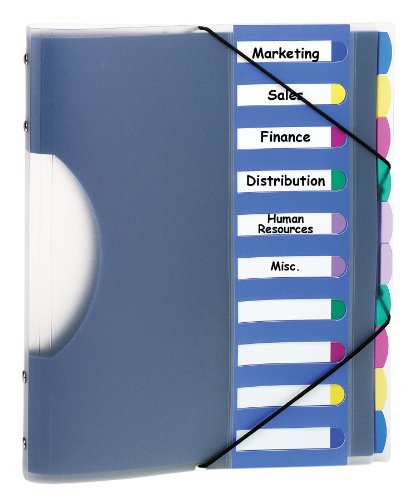
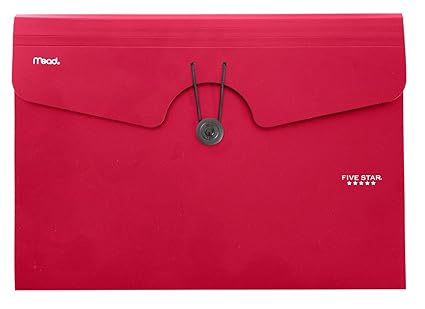
I'm thinking about getting one of these pocket folders:
71YxKR3XvgL._SX425_.jpg
411ElJR9RuL.jpg


Do you take a sheet of paper with you each day that has your fastpass & dining reservation, etc. information? Or do you put it on a 1/2 sheet or 1/4 sheet so it's easier to carry? Do you laminate it so it's safe on water rides or put it in a baggie? Any other tips I'm not thinking of?

I'd love to see your organizing methods!
 
I have a two-pocked folder with our information inside. I type a sheet with all our confirmation numbers and put it in the folder along with airline information, car rental, etc. I used to bring the folder along with us to the parks but now I just take a photo of the sheet and look at it from my phone. I also have my husband take a photo of it as well.
 
I put everything on my phone. So much easier. I have spreadsheets and stuff I use, I put them in my personal dropbox. In addition, using the app is huge for FP, etc. I have taken paper in the past, but rarely pulled it out b/c of my phone. So easy! (I will say I've usually studied everything so much, I've found I've memorized it by the time I get to the parks.) Good luck and have fun!
 
This will be my first trip in WDW/US in many years, but in addition to using my phone, I use an Excel spreadsheet for each day that has where we'll be, activities, dining, reservation #s, park hours, etc. I print out a copy and out it in our backpack.

I do this for other vacations, too because I am a nerd ;-)
 
I started out carrying paper back up but soon realised this wasn't necessary, I just rely on my phone. Even if the absolute worst happened and the Disney app and website stopped working, you can still access your email where all your confirmations will have been sent. I think the most important thing to bring with you is a power bank/fuel rod (and a protective phone case).
 
I have a gigantic binder by the time its trip time. This I lay out on the desk open to the days itenary. For the park I make a flash card for each day, with the date/day park(s), 3 FP+ rides and times, and any food plans including the confirmation number. It can put in a ziploc or folded up and put in my backpack or pocket. I would be okay with using cell phone but sometimes we have internet issues or battery problems so I like to have that little piece of paper as back up.
My binder has so much more detail like menues and what rides to try in between the fastpasses and maps but keeping it out and open on the desk allows everybody to get an idea of the flow for the day and the park flash card is just the important dont forget times and reservations paper..
 
I use to use a small lined memo book. I would write down all the rides/attractions in each park and have the height requirements, time for each attraction, etc. I would have a page with all my ADR's.

I now have a smartphone so I won't bother making another book. I bought a power bank so the battery will last at least a full park day.
 
I use a binder with sheet protectors. I print all my confirmations out, anything else I might want like maps, or itinerary, etc... I also have a binder pencil case with a zipper to keep the more important things in, like empty gift cards (in case I need to transfer to one), tickets (we're military so I have hard copy tickets for universal and SeaWorld) also the Disney tickets we received. The binder goes in carry on with us then at the hotel the zipper pocket goes into the safe and the binder stays at the room and I just use my phone. I don't actually carry a hard copy but the binder is in the room if I or anyone wants to see what is coming up. I usually have a pretty good memory about the schedule because I've spent so much time looking at different things on it. I built an excel workbook that has all aspects of my trip and is with me on my phone. It has 7 tabs. Tab 1 has the park hours, and is color coded for crowd levels. Tab 2 is my food budget, it lists days with breakfast, lunch, dinner, and snacks estimations vs actual and locations if known. Tab 3 is the total trip budget. Tab 4 is gift cards, this tells me every gift card I have the card balance, how much the cards were and how much I saved. Tab 5 is my itinerary it lists our planned parks for each day with hours, dining plans, fast passes, and any other key info. Tab 6 is a FP priority list. Tab 7 is a transportation map.
I love planning and I love excel. I actually made the workbook for our trip last year, so I only had to slightly modify for this trip.
 
Only the phone. I use the Notes app on the computer to make lots of separate Notes all in a WDW folder...Best tips for each park incl height requirements and QS restaurants we might try, emergency medical care, etc., etc. I get lots of helpful info on DIS of course so I copy/paste what I think we may need into organize Notes. The Notes app is synced on my iPhone and iPad so I can access my WDW notes easily. They are just easier to create on the computer. I don't expect to be creating new ones once our trip begins but could on the phone or iPad if needed. The days of paper are happily gone for me! As a back-up, I will email the most critical Notes to myself so if the app somehow stopped working I would at least have a copy to retrieve from my email.
 
I put my fastpasses and ADRs on my Google calendar because you can schedule reminders. I also have a Google account and have the Google docs and sheets apps on my phone. The nice thing about Google Drive apps is that it's easy to share your documents and spreadsheets with other people. You can even allow them to edit or make comments. I've found that to be really handy when planning trips with friends and other families. I used to have to carry lots of print documents but there's very few these days. For the few that I need I use a plastic envelope like the one you've posted. I like the fact that it's waterproof and stuff doesn't fall out of it.
 
I like to have a diary of the day. I list the time we are having breakfast, leaving for a Disney park, times of our fastpasses, times of shows and live entertainment we want to see, lunch reservation, and dinner reservation. I'll include breaks back at the resort and pool time, too. If you need to get anything special like renting a scooter or stroller I include that on my list, too.

Now, this doesn't mean we will do everything on the list, but we do pretty well. You do need to be realistic with your goals. Also, we may change the schedule depending on park conditions. For example, we may switch a fastpass if there's a 4 hour wait for it like Flight of Passage can have at times.

Usually, we can fit all our plans on one sheet of 8-1/2 X 11.
 
I print out our reservations and fastpasses and also put them in my ipad. I usuually just carry around the papers in my bag and leave my ipad in the room. At night before bed I will get on my ipad to check the next days plans.
 
Personally and professionally, I haven't carried paper since 2002-2003 when I got my first Blackberry. I've solely taken digital notes since that time as well. You'll be fine with just your phone:) I promise! Copy said plans onto an additional device and you're extra golden. Have a blast!
 

Loading WDWINFO articles...

Dreams Unlimited Travel
Before You Book Disney, Get a Free Quote
Our Authorized Disney Vacation Planners help you compare resorts, tickets, packages, discounts, dining, and cruise options. There is no cost to use our planning services.
Request a Free Vacation Quote
Walt Disney World · Disney Cruise Line · Disneyland · Adventures by Disney
-


DIS Facebook DIS youtube DIS Instagram DIS Pinterest DIS Tiktok DIS Twitter

Add as a preferred source on Google

Back
Top Bottom