Photography Apps for iPhone?

Golf4food

Male pirate last time I checked. Yep. Still male.
Joined
Feb 10, 2005
Messages
8,175
So I have an iPhone now and want to add some useful photography apps - I see at least a half-dozen DOF calculator apps out there, etc.

Any of you have any you like and would recommend as particularly useful? Besides DOF maybe exposure settings for manual shooting?

 
I haven't bought it, but I found "LightMeter" by Ambertation earlier today when I was wondering the same thing. It has mixed reviews, so I'm hesitant to buy it.

As far as photography apps for photos actually on the iPhone I use Gorillacam for interval shooting and AutoStitch for stitching together panoramic photos right on the phone. It works pretty well for something working with photos taken on a phone.
 
I don't have an iPhone, but this app was big news when it first came out several months ago. The DSLR Camera Remote by OnOne Software (the same folks who create great Photoshop plug-ins) allows you to remotely fire your Canon or Nikon DSLR directly from your iPhone. http://www.ononesoftware.com/detail.php?prodLine_id=38

A couple more things it can do (according to its Web site):
  • Remotely control the camera settings like shutter-speed, aperture, white-balance and more
  • View images shot on the camera from your iPhone or iPod touch
  • Look through your camera's viewfinder remotely

You do need to connect your camera to a Wifi-enabled laptop for this to work.

Here's a YouTube video demonstrating it taking basketball shots remotely: http://www.youtube.com/watch?v=W7xuEp8H1n4
 

Nikon Learn & Explore is a pretty cool FREE app. You can go to the Nikon website and see the same content that is on the app; but at least you can view it on-the-go.
 
Alas I do not have a Canikon but that does sound cool
 
I'm a Canon user, but the Nikon app is useful for ANYONE!!!!! It's more about techniques than anything (of course they're using Nikon products though). They also have nice video clips of professionals talking about the work they do. Some things are VERY advanced, but just cool to see how they're executed. One great video even had a guy talking about just capturing candid moments: like giving a street musician a nice little tip, then being able to stick around and compose shots from unique vantage points; or if a shop owner lets you take millions of pictures, at least be kind and buy something. So anything photography related, not necessarily Nikon related.

Check it out, you won't be disappointed. :thumbsup2

Edit: Oops, you meant the app mentioned above mine. Oh well. :)
 
I don't have an iPhone, but this app was big news when it first came out several months ago. The DSLR Camera Remote by OnOne Software (the same folks who create great Photoshop plug-ins) allows you to remotely fire your Canon or Nikon DSLR directly from your iPhone....http://www.youtube.com/watch?v=W7xuEp8H1n4

It looks cool, but I haven't been able to think of a single real-world scenario in which I wanted my camera tethered to my laptop and then operated by my phone. If I could remote control my camera with my phone and not use a laptop, it would be super cool. Heck, if I could just connect my phone to my camera and control the camera, it would be cool.
 
It looks cool, but I haven't been able to think of a single real-world scenario in which I wanted my camera tethered to my laptop and then operated by my phone. If I could remote control my camera with my phone and not use a laptop, it would be super cool. Heck, if I could just connect my phone to my camera and control the camera, it would be cool.

I had the same thought. Who needs to do that, really?

Now if I had a wire that was camera remote shutter plug on one end and iPhone headphont jack or USB on the other and I could then use the iPhone to remotely trigger the shutter or control other functions... THAT would be useful (fireworks, etc.)

Maybe we should invent it and retire early, ha.

Will give the Nikon app a try. :)
 
Got the Nikon Learn & Explore and defintely recommend it. Lots of great stuff. Thanks for pointing that one out. :)
 
Another quick thing you can add onto your iPhone (or BlackBerry) is your dSLR camera's manual. You can probably download your camera's manual in PDF form from its respective Web site. It's a very handy thing to have around, in case you need to refer to it while out shooting.
 
I don't have an iPhone, but this app was big news when it first came out several months ago. The DSLR Camera Remote by OnOne Software (the same folks who create great Photoshop plug-ins) allows you to remotely fire your Canon or Nikon DSLR directly from your iPhone. http://www.ononesoftware.com/detail.php?prodLine_id=38

A couple more things it can do (according to its Web site):
  • Remotely control the camera settings like shutter-speed, aperture, white-balance and more
  • View images shot on the camera from your iPhone or iPod touch
  • Look through your camera's viewfinder remotely

You do need to connect your camera to a Wifi-enabled laptop for this to work.

Here's a YouTube video demonstrating it taking basketball shots remotely: http://www.youtube.com/watch?v=W7xuEp8H1n4

I bought it half-price when it first came out and used it maybe twice so far. The laptop is really the encumberance here. What onOne should do is support a dock-connector to mini-USB cable that foregoes the laptop and connects the iPhone directly to the camera. This wasn't available in the SDK when the app was first released but the iPhone SDK now supports accessory connection.
 
Gorillacam increases the functionality of the iphone camera (digital zoom, touch screen focus and timer among a few other things). It's free.

I also have Format126, a filter/border app

PS Mobile is a lite (very lite) photoshop app

Revan
 
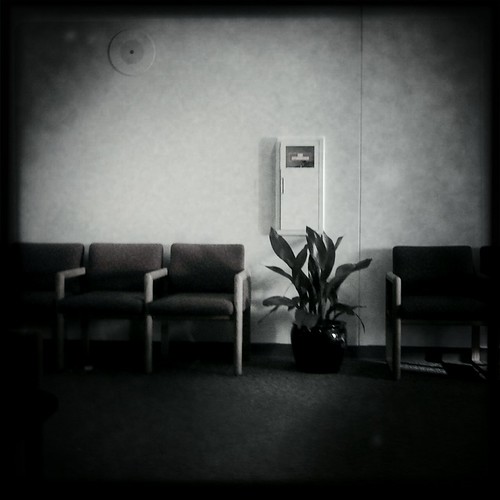
I picked up the Hipstamatic app a couple of weeks ago and have been having great fun with it. It simulates a plastic camera from the 80's that was made for only a brief time. It has interchangeable lenses and film stocks.

Here are a few pics I have taken with it:


http://www.flickr.com/photos/pisco/4397604837/
I was just going to reccomend Hipstamatic! :wizard: I'm in love with it! I'm hoping to get some good shots tomorrow!


Disney Vacation Planning. Free. Done for You.
Our Authorized Disney Vacation Planners are here to provide personalized, expert advice, answer every question, and uncover the best discounts. Let Dreams Unlimited Travel take care of all the details, so you can sit back, relax, and enjoy a stress-free vacation.
Start Your Disney Vacation
Disney EarMarked Producer


DIS Facebook DIS youtube DIS Instagram DIS Pinterest DIS Tiktok DIS Twitter

Add as a preferred source on Google

Back
Top Bottom