photo sharing: HDR

call me dumb but what is HDR?
Is it editing or a different way to shoot? Is it a setting or a totally different camera?
 
call me dumb but what is HDR?
Is it editing or a different way to shoot? Is it a setting or a totally different camera?

HDR stands for High Dynamic Range. You take 3 or more pictures at different exposures (called bracketing) and use software to blend the images together into one. The idea is to get some pictures overexposed, some underexposed and some exposed correctly and then put them together to get an exposure that is closer to what the human eye is capable of seeing. I have Corel Paint Shop Pro Photo X2 and it has an HDR merge function. I am no pro on this by no means. I learned what I know from this and other sites.

Craig
 
thanks for the info....LOVE THE COLORS>

I will enjoy reading more about this.
 

I was out and about Old San Juan yesterday afternoon, and I thought I'd share these, as they are my first and second attempts at HDR. The first two were composited in Adobe Photoshop CS3, but I was really unhappy with the results.

So I opened my wallet and bought a program called Photomatix Pro 3.0, and I was much happier with the results on the last five.

I've been shooting for years, but these are my first HDR attempts, so any and all advice and critique is welcome.

Photoshop CS3

dcdjef.jpg


2qnzi0y.jpg


Photomatix Pro 3.0

34ecies.jpg


kcj9ua.jpg


hv5g69.jpg


2emzpee.jpg


4ghlvo.jpg
 
I just tried my hand at this for the first time recently too. I was encouraged by the results as well -- almost all of mine were nighttime shots.

How many exposures did you take/use to produce your results? The first one has a soft look, almost like a pastel drawing; was that intentional, or just a happy accident?

SSB
 
They ranged from 3-5 exposures, for most I do 4 though. -2, 0, +1, +2

The first one was a happy accident in photoshop. I sneezed and tapped the tripod during exposure, and forgot to remove it when compositing it in photoshop. I guess I'd better let my allergies do their thing more often :lmao:
 
Didnt there used to be a hooters at the bottom of the hill at the fort in Old San Juan? Course it has been 13 years since I have been there...:confused3
 
Didnt there used to be a hooters at the bottom of the hill at the fort in Old San Juan? Course it has been 13 years since I have been there...:confused3
There did... at the entrance to Old San Juan, next to Fort St. Cristobal, in front of Plaza Colón.

However, it was nearly burned down in a fire, and the upstairs is now just a shell and storage area for the businesses downstairs.
 
wow, Nice to know my memory isn't totally shot. The Bacardi factory was nice also...:thumbsup2:rolleyes1
 
Before you fall victom to making your HDR look like paintings. USE LIGHT SMOOTHING!
 
Well, not actually downtown, but you can see downtown Disney in it. This is a view from the Best Western.

Okay, the thread asking about HDR made me want to do one. I have seen many done, but never really thought about doing one myself. Until I can actually go back, I had to do one using photoshop. This was actually 3 pictures that I put together in photoshop to get a wider angle, not a panaroma by any means, just a little wider. Once I got them put together, I cheated and used the HDR for Dummies action found here. This is what I got.

DSC00003b.jpg


I also worked on the saturation, and added an unsharp mask set at 60/30/10, just to add a little pop. Let me know how I did. Good or bad, I can take it. :cool2: I like it except for the glow around the lake that the action created. Not real crazy about that, I did burn it a little to darken it, but it still bothers me.

These are the 3 original pictures.
DSC00002.jpg


DSC00003.jpg


DSC00004.jpg
 
The reflection is really nice although I think it was before the 'hdr' was used.

HDR needs a large dynamic range of images, usually more than 3

The overall look is very nice, a heightened contrast and some more detail brought out in darker areas however, the trees closest to the camera and to the right of the lake in the view, are a bit too detailed for the rest of the image. Theres also some obvious light smoothing problems around the tops of the trees closest to the camera, silhouetted by the lake reflection...

Other than that, Nice photo :)
 
The reflection is really nice although I think it was before the 'hdr' was used.

HDR needs a large dynamic range of images, usually more than 3

The overall look is very nice, a heightened contrast and some more detail brought out in darker areas however, the trees closest to the camera and to the right of the lake in the view, are a bit too detailed for the rest of the image. Theres also some obvious light smoothing problems around the tops of the trees closest to the camera, silhouetted by the lake reflection...

Other than that, Nice photo :)


Yes, I totally agree about the trees, they are way to bright after the HDR action for my taste, perhaps some burning is in order there. I tried to burn around the trees where the "glow" is, and I didn't do enough. I thought about cropping just above the trees, because they distract from the image I was trying to take, but then it takes so much of the lake out of the picture.

Maybe if I would have taken more time, or actually had 3-5 photos to work with. My camera does the exposure bracket, so maybe next time.
 
Why HDR? What are you trying accomplish with that approach? The idea of HDR is to take a picture where the range of brightness is too much to print or display and reducing that range. Your original shots were fine without HDR.

You dislike the brightening of the trees, but that's part of what HDR does. It takes areas that are really dark and makes them lighter. It takes areas that are really light and makes them darker.

The light rim around the lake is also an HDR artifact. HDR software often does local brightness adjustments. In this case, it lightened the dark areas around the lake. When it did that, the lightening sort of "spilled over" to the edge of the water giving it a bit of a halo look.
 
Why HDR? What are you trying accomplish with that approach? The idea of HDR is to take a picture where the range of brightness is too much to print or display and reducing that range. Your original shots were fine without HDR.

You dislike the brightening of the trees, but that's part of what HDR does. It takes areas that are really dark and makes them lighter. It takes areas that are really light and makes them darker.

The light rim around the lake is also an HDR artifact. HDR software often does local brightness adjustments. In this case, it lightened the dark areas around the lake. When it did that, the lightening sort of "spilled over" to the edge of the water giving it a bit of a halo look.


Not really trying to achieve anything in paticular with this shot. I did it because I wanted to see what the hype was all about. I don't really know about the process, and I just wanted to play and see. I do like my original pics that I put together and did some pp on much better than the HDR.

Thank you for explaining it to me, I always like looking at the pics you post and all the infomative posts that you make also.
 
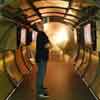
I took this at the bridge at the lobby of the Animal Kingdom Lodge. It was taken with a Nikon 10.5 lens. I have not corrected for the lens.

I downloaded Photomatix pro but have not purchased yet so the watermark is there.

JWM_1228_29_30_31_32_tonemappedcopy.jpg


Disney Vacation Planning. Free. Done for You.
Our Authorized Disney Vacation Planners are here to provide personalized, expert advice, answer every question, and uncover the best discounts. Let Dreams Unlimited Travel take care of all the details, so you can sit back, relax, and enjoy a stress-free vacation.
Start Your Disney Vacation
Disney EarMarked Producer

New Posts


DIS Facebook DIS youtube DIS Instagram DIS Pinterest DIS Tiktok DIS Twitter

Add as a preferred source on Google

Back
Top Bottom