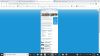
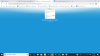
Hi. For the last 24 hours I haven't been able to get past the first page on the Disney website (trying to check room rates). This is what I see and can't get to anything normal.
You've zoomed way out. You're probably around 20%. Upper right, inside the bar with the web address in it. Looks like a tiny magnifying glass with a horizontal line through it. Click on it then click Reset.
Actually it is Zoom within your browser. In this case your Chrome browser. Maximize your Chrome browser window, hold down the Ctrl Key and then press the +/= key to zoom back in to 100% or the _/- key to Zoom out.
Once you press the 2 keys once you will also see a reset button up new the top of the browser slightly to the right of the URL box.
Actually it is Zoom within your browser. In this case your Chrome browser. Maximize your Chrome browser window, hold down the Ctrl Key and then press the +/= key to zoom back in to 100% or the _/- key to Zoom out.
Once you press the 2 keys once you will also see a reset button up new the top of the browser slightly to the right of the URL box.
LOL.... I can't keep up. It's gotten to over 4000 before
Obviously, most are not of any importance at all. Not junk since that isn't including a spam/junk folder but not important either. Sale crap I have signed up or requested for one thing or another for the most part
Dave: Thank you so much for your advice. (Actually it is Zoom within your browser. In this case your Chrome browser. Maximize your Chrome browser window, hold down the Ctrl Key and then press the +/= key to zoom back in to 100% or the _/- key to Zoom out.
Once you press the 2 keys once you will also see a reset button up new the top of the browser slightly to the right of it)
I tried that and it worked. I have NO idea what caused it, as that was the ONLY website and/or page this happened to.
Our Authorized Disney Vacation Planners are here to provide personalized, expert advice, answer every question, and uncover the best discounts.
Let Dreams Unlimited Travel take care of all the details, so you can sit back, relax, and enjoy a stress-free vacation.