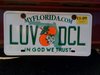
how to get the DCL horn as my start up sound

Invisible Penguinboy

<font color=deeppink>im man enough to admit that i
Joined
Mar 23, 2004
Messages
304
:wizard: Hey i have a really good copy of the horn on my computer, but i cant figure out how to get it as my start up sound. can anybody tell me how to do this, i have been trying for like a month with no success. :earsboy:
 
I'm running Windows XP now so the process may be slightly different if you're running something else....

Go to your Control Panel
Select "Sounds, Speech, and Audio Devices"
Choose "Change the Sound Scheme"
Click on the "Sounds" tab
You can select different "Program Events" such as "Start Windows" (or any other program event that you'd like)
And in the drop down menu below you can select a different sound or browse for the dcl horn sound by clicking on the "Browse" button to the right.
Click OK
 
Where can I download the horn onto my computer? Can anyone help?
 
There was a thread yesterday "DCL Horn". There is a site monorailgreen.info click on DCL then at the bottom is a button to download the horn. Best recording that I have heard to date. Thank Mark for the recording.

Roger
 

Thanks. Sorry I missed it. I will check it out.
 
You're welcome.

Now make sure you're saving the sound to your pc. I rotate the filename regularly to stop people from linking it directly off my site.

When you get to the link that plays the sound, right click on the link, and pick save target as and put it on your pc someplace you can find it when you pick it for a startup sound.

The reason I ask this is that if I go over my monthly limit of how much data is downloaded from my site, I pay extra, not too cool.
 
Okay, I must be blind...where is the button to download the sound? If I click on the link it goes to a page and plays the horn, but how do I download it?
 
Minnie&Mickey said:
Okay, I must be blind...where is the button to download the sound? If I click on the link it goes to a page and plays the horn, but how do I download it?

Don't open the link. Just right click and "save target" either to someplace where you can access easily on your computer and then follow the other instructions!

Thanks Mark! DD hates me know for setting it up!LOL

Scratch
pirate:
 
Scratch42 said:
Don't open the link. Just right click and "save target" either to someplace where you can access easily on your computer and then follow the other instructions!
Great! Thanks!
 
Does anyone know how to do this for a Windows 98? I keep trying to use browse, but no matter where i put the file it dosent 'Find' it! :confused3
 
Try saving it to c:/windows/media. It is a standard .wav file, should play on any version of Windows just fine.
 

GET UP TO A $1000 SHIPBOARD CREDIT AND AN EXCLUSIVE GIFT!

If you make your Disney Cruise Line reservation with Dreams Unlimited Travel you’ll receive these incredible shipboard credits to spend on your cruise!


DIS Facebook DIS youtube DIS Instagram DIS Pinterest DIS Tiktok DIS Twitter

Add as a preferred source on Google

Back
Top Bottom