rtphokie
Photo board moderator
- Joined
- Jan 9, 2006
- Messages
- 3,607
TIA for any help. I am loosing my mind here searching on the internet and getting more and more confused. I bought a new camera tonight a nikon cool pix p100. It has a very large zoom 26 and 10.3 megapixels and a couple of other features that I really liked. I also liked the way I could grasp it. Problem is I always use sony. They did have a nice one very close to this one(sony cybershot 9.1 megapixel 20 zoom) but I got the Nikon. Please tell me what u use and which one would be better to get good action shots and not so close shots.
Sorry this is long.
We leave sunday and would like to have this taken care of soon. TIA
First off, welcome to the photography board. You'll find some very knowledgeable people here so dont hesitate to ask questions.
Forgive me if I'm oversimplifying but it sounds like time is short for you and you aren't the kind of photographer who is going for artistic shots or is really looking to spend several minutes setting up each shot to get just the effect you are looking for. You probably just want to take good looking photos.
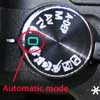
- put the camera down and open up the manual (pdf version is here). It may sound snarky but many camera owners dont even know where their manual is and dont take their cameras off full auto mode because they are intimated by the other settings. Dont get overwhlemed by it. Pick a mode or two to learn about and go from there.
- use Scene auto mode to start. It will pick the right settings (shutter speed, aperture, white balance, ISO, etc) for you.
- learn more about and experiment with Scene and Smart portrait modes, they may be of use to you.
- Once you are very comfortable with the above modes, then you can start getting into Aperture and Shutter priority modes to give you even more control. These modes exist for a reason, the camera is pretty good at looking at the scene and determining what you want the photo to turn out right, but it's not perfect.
- The above advice on zoom is good. Books on basic photography talk about framing shots so much that we are tempted to try to do everything at the time the photo is taken. Dont. A wider shot can be cropped down later in your computer and you'll still be able to print the photo out. There are lots of pixels to go around.
- have fun
Remember, it's a camera, not a magic wand. Cameras have come a long way and there are tons of features which make it possible for just about anyone to take great pictures that used to require very expensive equipment and lots of time to learn how to use it. But the camera is still going to misinterpret a scene or even focus on the wrong thing. The more you learn about the camera and where you can help it along in making the right decisions, the better your photos will be.