WIP

Status
Not open for further replies.

scrappinginontario

Moderator
Moderator
Joined
Nov 7, 2010
Messages
22,471
Here is a new place to talk about everything Lightning Lane Multi Pass (LLMP), Lightning Lane Single Pass (LLSP) and Lightning Lane Premier Pass (LLPP). Share your tips and strategies here. What worked for you? What are your Lightning Lane plans?

(The thread is a work in progress. Lightning Lanes are complex and sometimes nuances are hard to articulate which is why I've started and stopped writing this thread multiple times over the past almost 2 years. As new information is added to the thread, I will update the posts on the first page to keep the information as current as possible. If the information in the first posts is inaccurate, please add to the thread or, send me a PM and I will update as required.

If you are new to this thread, it is recommended you read the information on this first page and possibly the last few pages of the thread to best understand the system.)

GENERAL INFORMATION for both LLMP and LLSP

Acronyms:

Lightning Lane
: LL
Lightning Lane Multi Pass: LLMP
Lightning Lane Single Pass: LLSP
Lightning Lane Premier Pass: LLPP

Definitions:
LL
- Physical queue at the attraction
LLMP - Allows guest LL access to multiple attractions *at all 4 parks (*if guest has a park hopper ticket or a ticket that allows guest to visit more than one park on the same day)
LLSP - Allows guest LL access to a single attraction
LLPP - Allows guest LL access to each LL attraction in a single park. LLPP is purchased for a single park, single day. No LL reservations are required


Cost:
  • Variable pricing by date
  • Once a price is announced it will not change
  • Price also varies by which park a guest chooses to visit first on a specific date
  • Historical pricing is being tracked here.
  • LLMP and LLSP are currently under $50
  • LLPP is substantially more at a cost between $150 - $450/park/day. Note, only valid for the date and park purchased for. Not valid for park hopping
  • About a month before your booking window you will begin to see the cost of your days by looking on the MDE app.
  • Once the price is set for a day, this price will not change.
  • You may wish to start looking ahead to prepare for the cost of upcoming LL purchases.

Purchasing:
LLMP, LLSP and LLPP can only be purchased using the MDE app. (i.e. cannot be purchased on MDE website)

Purchasing opens at 7AM.

Look for these links on the MDE home page
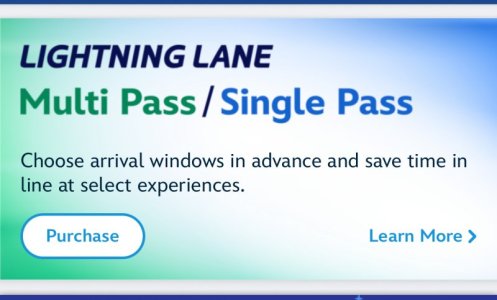
IMG_7685.jpeg IMG_7304.jpeg

Purchasing Eligibility:
Guests of Disney Resort Hotels and Other Select Hotels* may purchase LLMP, LLSP and LLPP 7 days before the first day of their Resort stay, for their length of stay (up to 14 days)
* Other Select Hotels include WDW Swan, WDW Swan Reserve, WDW Dolphin and Shades of Green Resort.

Guests with date-based theme park tickets (aka 'Offsite guests') may purchase LLs 3 days before their first day of their ticket, for the total number of valid admission days of their ticket.

Annual pass guests may purchase LLs on a day to day basis, 3 days before their park reservation.

Link to Disney website re: When to Purchase Passes


Examples of Booking Window Eligibility:
  • A Disney Resort guest arriving on a Saturday, is eligible to book LLMP, LLSP and LLPP the Saturday before their arrival for their entire length of stay (up to 14 days)
  • A Guest with date-based theme park ticket that starts on a Saturday, is eligible to book LLMP, LLSP and LLPP the Wednesday before their date-based ticket begins, for the entire length of their ticket, based on availability
  • An Annual Passholder with park reservations for Saturday and Sunday will be eligible to book for Saturday the Wednesday before their Saturday park reservation and Thursday for their Sunday park reservation
If a group has guests that are staying at a Disney Resort and guests who are offsite, only Disney Resort guests are eligible to book 7 days before their arrival date.

Groups with onsite and offsite guests may wish to wait and purchase LLs when all guests are eligible as it would be very difficult to match LL return times when booking days apart.

Guests may purchase:

  • LLMP only or,
  • LLSP only or,
  • LLPP only or,
  • any combination of LLMP, LLSP and LLPP
LLMP, LLSP and LLPP are purchased by date. Guests may purchase for as many eligible dates as they wish.

Purchasing LLs is optional. It is possible to tour the parks without purchasing any LLs.

ALL LLMP are eligible to be used in multiple parks if a guest has a ticket with park hopping eligibility. There is no longer a 'multi-park' option. ALL LLMP allow for booking in multiple parks, after the first LL is used. Once guest has used first LL in initial park, new LL can be booked in any park. Initially all LLMP LLs must be booked in the same park.


There is no limit as to how many LL attractions a guest can use in a single day, the only limitations are availability and, only booking 1 LL per attraction, per day.

Unfortunately, once a guest has used an LL for an attraction, the system still shows available times even though the guest is not eligible to book that attraction a second time. (This is something I hope they clean up at some point as it does add unnecessary confusion to what a guest is eligible to book.)

Links to More Detailed Information
Lightning Lane Multi Pass - LLMP
Lightning Lane Single Pass - LLSP
Lightning Lane Premier Pass - LLPP
LLMP Tips and Tricks
Additional Benefits Included with LLMP
 
Last edited:
Lightning Lane Multi Pass - LLMP

BOOKING INITIAL LLs
LL are booked using the MDE app

Initially, select up to 3 attractions per day of purchase

Guest selects a return time for each LL booking

Return time will be a 1 hour window for attractions
Return time will be a 20 min window for shows

Initial 3 attractions must be booked in the same park

Attractions are Tiered in the Magic Kingdom, Epcot and Disney's Hollywood Studios

A guest may select one Tier 1 and up to three Tier 2 LL's. Total initial LL's cannot be more than 3


LLMP Tiers:
Magic Kingdom - Tier 1 (Choose one)
  • Big Thunder Mountain Railroad (currently closed for refurbishment)
  • Jungle Cruise (Popular Tier 1)
  • Peter Pan’s Flight (Popular Tier 1)
  • Space Mountain
  • Tiana’s Bayou Adventure (Popular Tier 1)
Magic Kingdom - Tier 2 (Choose two or, all three from this list)
  • The Barnstormer
  • Buzz Lightyear’s Space Ranger Spin
  • Dumbo the Flying Elephant
  • Haunted Mansion (Popular Tier 2)
  • “it’s a small world”
  • Mad Tea Party
  • The Magic Carpets of Aladdin
  • The Many Adventures of Winnie the Pooh
  • Mickey’s PhilharMagic
  • Monsters Inc. Laugh Floor
  • Pirates of the Caribbean (Popular Tier 2)
  • Tomorrowland Speedway
  • Under the Sea ~ Journey of The Little Mermaid

Epcot - Tier 1 (Choose one)
  • Frozen Ever After
  • Remy’s Ratatouille Adventure
  • Test Track
Epcot - Tier 2 (Choose two or, all three from this list)
  • Disney and Pixar Short Film Festival
  • Journey into Imagination with Figment
  • Living with the Land
  • Mission: SPACE
  • The Seas with Nemo & Friends
  • Soarin' Around the World (popular Tier 2)
  • Spaceship Earth (popular Tier 2)
  • Turtle Talk with Crush

Disney's Hollywood Studios - Tier 1 (Choose one)
  • Mickey & Minnie’s Runaway Railway
  • Millennium Falcon: Smugglers Run
  • Rock ‘n’ Roller Coaster Starring The Muppets (Opening Summer 2026)
  • Slinky Dog Dash (Most popular Tier 1)
Disney's Hollywood Studios - Tier 2 (Choose two or, all three from this list)
  • Alien Swirling Saucers
  • Beauty and the Beast Live on Stage
  • For the First Time in Forever: A Frozen Sing-Along Celebration
  • Indiana Jones Epic Stunt Spectacular
  • The Little Mermaid - A Musical Adventure
  • Star Tours – The Adventures Continues
  • Toy Story Mania! (popular Tier 2)
  • The Twilight Zone Tower of Terror™ (popular Tier 2)
Animal Kingdom (Does not have tiers. Choose any 3)
  • Expedition Everest – Legend of the Forbidden Mountain (Popular LLMP)
  • Feathered Friends in Flight!
  • Festival of the Lion King
  • Finding Nemo: The Big Blue… and Beyond!
  • Kali River Rapids
  • Kilimanjaro Safaris (Popular LLMP)
  • Naʻvi River Journey (Popular LLMP)
  • Zootopia: Better Zoogether!
Note: Character greetings and parades are not currently LLMP experiences

Guest will be able to see what is available before purchasing LLMP

Selecting both LLMP and LLSP for the same date allows you to make both purchases in a single transaction
You have up to 5 minutes to complete your purchase


Once purchased, LLMP is non-refundable

Modifications to LL may be made after booking, based on availability


BOOKING ADDITIONAL LL's
Once first LL is used, a new LL can be booked, subject to availability.

Tip: Tapping into first LL opens the option to modify all currently booked LL's. Once tapped into first LL, it IS possible to modify a currently booked Tier 2 attraction to a Tier 1 attraction, based on availability.

Some attractions have 1 tap which opens the opportunity to book a new LL as soon as a LL has been tapped at the attraction entrance. Other attractions have 2 taps which means a guest will need to wait until tapping into the second tap, located further in the attraction queue, before being able to book a new LL. (Which attractions have 1 tap and which ones are using 2 taps in use changes on a regular basis so I will not be providing a list. Best practice is a guest can try to book a new LL once they have tapped into the first tap. If booking is not available, try again after tapping at the second tap for the attraction.)

LL for attractions can fill to capacity and not be available to book.

Next LL can be booked in same park as original LL or, in a different park if guest has a ticket with park hopping option

Book next LL by visiting 'Tip Board' on MDE app

A guest can have 3 LLMP booked at a time. Once you have tapped into your first LL, you may book the next one. (Note: Some attractions have 'double' tap and the booking window will not open until guest has passed second tap point. Which attractions are using their second tap point seems to change.)

After using first LL, there are no longer any Tier limitations. A guest can hold any combination of Tier 1 and Tier 2 attractions once first LL has been used.


Note: A guest may modify a previously booked LLMP. You may change the time, attraction or even the initial park LLMP was purchased, based on availability BUT, all 3 initial LLMP selections must be in the same park

If a guest modifies to a more expensive park, the system will prompt the guest to pay the difference.

If a guest modifies to a less expensive park, the system will not issue a refund for changing to a less expensive park.

LLMP will sell out for the Magic Kingdom almost every day.

LLMP will sell out for Disney's Hollywood Studios most days.

LLMP will sell out for Epcot and Animal Kingdom some days.
 
Last edited:
Lightning Lane Single Pass - LLSP

LLSP are booked using the MDE app

LLSP options are not available with the purchase of LLMP (i.e. If a guest purchases LLMP, none of the attractions listed below are available to be selected as an LLMP option)

Choose up to 2 LLSP per day

LLSP can both be in the same park or, different parks

A guest may purchase only one LLSP for an attraction, per day

A guest does not need to purchase LLMP or LLPP in order to be eligible to book LLSP. You can choose to book only LLSP if you wish

Cost per LLSP will vary by attraction and date

LLSP will sell out for each attraction almost every day. If you know you want to purchase a LLSP, do not wait to book as there will be a higher chance it is already sold out. It is not uncommon for LLSP to be sold out for offsite guests once their 3 day purchasing window opens.

LLSP Options:


Magic Kingdom
  • Seven Dwarfs Mine Train
  • TRON Lightcycle Run
Epcot
  • Guardians of the Galaxy: Cosmic Rewind

Disney's Hollywood Studios
  • Star Wars: Rise of the Resistance

Disney's Animal Kingdom
  • Avatar Flight of Passage
Tip: If you are booking both LLMP and LLSP for a group, you may wish to book LLMP for all in one transaction and then, book LLSP in a separate transaction because if you book both in 1 transaction, you are locked into purchasing LLSP for all guests who you are booking LLMP for.

Note: A guest may modify a previously booked LLSP. You may change the time or, even the LLSP attraction, based on availability.

If a guest modifies to a more expensive LLSP, the system will prompt the guest to pay the difference.

If a guest modifies to a less expensive LLSP, the system will not issue a refund for changing to a less expensive LLSP.
 
Last edited:
LLMP Tips and Tricks

Instructions on How to Use MDE App to purchase LLMP and LLSP found here

Prior to your booking window opening, ensure you are linked with all Friends and Family who you will be booking for

The person who books LLMP or LLSP is the one who pays for it at time of booking

Booking guest will be able to book for up to 20 eligible people in their Friends and Family list

Initially, all selected guests will be booked for the same attractions at the same time. Recommendation is to book the most popular attractions first. Guests and times may be modified after booking is complete

e.g. You initially book Big Thunder Mountain for your entire party. After completing your purchase, you can modify some guests to a different attraction, based on availability​

All booking must be done on the MDE app. It cannot be done on the MDE website

Prior to booking date, ensure you have updated to the most current version of the MDE app on your device

Occasionally additional LL availability may open for a 'full' attraction either when another guest cancels a LL or, Disney chooses to offer additional LLs.

Some attractions are known to have additional LL's drop at certain times during the day. Which attractions and when those drops happen are tracked here. Note: these additional LLs will fill very quickly.

What Order Should I Book My LLMP Days?
If you have a longer trip, statistically speaking, the days furthest away will have the most availability for booking LLMP and LLSP attractions, You may wish to book those first to secure most popular attractions then go back and book earlier days in your trip.

LL Selection Order
If you wish to book you LL in a specific order, select them on the first screen in that order. The MDE app will automatically give you LL return times, at least 1 hour apart, in the order you selected your attractions.

Once the initial LL times are displayed you have 5 minutes to change times, order, attractions, etc. After 5 minutes your request will be lost and you will need to start again. There is a clock visible so easy to see how much time you have to make changes/updates before finalizing your purchase or, canceling your request.

Purchasing both LLMP and LLSP
If purchasing both, it is recommended to select LLSP then LLMP second as LLSP can fill up days in advance.

Booking a 'Throw-away LL'
Some guests choose to book an early LL for a less popular attraction in order to tap in and open the option to book an additional Tier 1 LL or, a LL at a different park

Once a guest has tapped into their first LL, they may book any attraction that has availability, regardless of Tier assigned to that attraction

A guest may hold more than one Tier 1 attraction at the same time, as long as they have tapped into their first LL and 'opened' the option to book any other LL

Purchasing LLMP or LLSP with ONLY a Party Ticket
A guest with only an After Hours Party ticket (e.g. MNSSHP, etc.) is unable to purchase LLMP or LLSP with that ticket although this changes on a regular basis.

If a guest holds additional tickets in their MDE account, they may be able to purchase LLMP or LLSP

Official LL Return Window
Attraction LL return window is 1 hour in length. Exception to this is a LL for a show which has a 20 min return window.

A guest may scan into a LL 5 mins before their official return window

A guest may can into a LL up to 15 mins after their official return window

Unofficial LL Return Window
Currently a guest may arrive up to 119 mins after their official return window ends and the Mickey tap should still turn green although this is unofficial and there have been instances reported when this does not happen. Tapping in during the 'unofficial window' is not guaranteed so use with caution.
 
Last edited:

Additional Benefits Included with LLMP

Attraction Photo Downloads

- select Disney Attractions offer digital downloads, free to those who have purchased LLMP

Attractions with Photo Downloads are:

Magic Kingdom
  • Buzz Lightyear's Space Ranger Spin
  • Haunted Mansion
  • Pirates of the Caribbean
  • Seven Dwarfs Mine Train
  • Space Mountain
  • TRON Lightcycle Run
Epcot
  • Frozen Ever After
  • Guardians of the Galaxy: Cosmic Rewind
  • Test Track
Disney's Hollywood Studios
  • Rock 'n' Roller Coaster Starring Aerosmith
  • Slinky Dog Dash
  • The Twilight Zone Tower of Terror
Animal Kingdom
  • DINOSAUR
  • Expedition Everest – Legend of the Forbidden Mountain
Tips to increase your opportunity to successfully link photos can be found here

Disney PhotoPass Lenses
- Collection of Disney-themed lenses
- Lenses are found on MDE app
  • click 3 horizontal bars, bottom right corner of MDE screen
  • scroll to 'PhotoPass Lenses'
 
Last edited:
How to Use MDE App to Purchase LLMP and LLSP

On MDE home screen, click 'Purchase' button or, click the 'hamburger' in the bottom right of the screen and select, 'Lightning Lane Passes'

Select the date you wish purchase

Select the park then click 'Continue'

Select eligible guests

Select up to 3 attractions at the park. (See post 2 above for Tiering information) then click 'Continue'

App will display suggested return times for attractions selected but, you have the option to choose from any available return times

Note: The app will recommend times based around other information it knows:
  • Dining Reservations
  • Return times displayed will not overlap
A 5 minute window will have opened for you to modify the times of the attractions your are attempting to book. A timer is displayed at the top of the screen, advising how long you have to lock in your current times. If time elapses, you will need to start again and original options may no longer have availability

Once you have selected your 3 attractions and times, Check Out

Proceed through payment

Eligible forms of payment:
  • Credit Card (can be linked to MDE to save time when booking)
  • Disney Gift Card (you will need to key in GC number so you may wish to have this number previously saved in the Notes on your phone so that you can copy and paste it into the app)
Note:
  • There have been a few reports of guests who have had their payment card locked by their cc company after purchasing a few days of LLMP or LLSP. You may wish to have more than one form of payment on hand to ensure easy checkout should challenges arise
Until you have checked out, you are not committed to go through with the purchase. You may back out at anytime.

Once payment is received, options will be displayed to either
  • Purchase for Another Day or,
  • View My Day

How to Modify a LL
  • Just above a booked LL you will see 3 dots
  • Click the 3 dots above a booked attraction
  • Select, 'Modify'
  • Additional times will be displayed (if available) for this attraction
  • You may select one of those times or,
  • select a different attraction that is offered and choose a return time for that attraction
 
Last edited:
Lightning Lane Premier Pass - LLPP
Lighting Lane Premier Pass allows a guest the opportunity to ride each LL attraction in a single park once the day it is purchased for, without making any LL reservations. It truly is premier access but also comes with a premier price.

Prices currently range between $119 - $449/person/day depending on date and park

LLPP cannot be used for park hopping. It is only valid in the park it is purchased for

In spite of the cost LLPP sells out on a regular basis

Lightning Lane PP price and sellout data is tracked here
 
Last edited:
Allowing a LL to Expire
(This is unofficial information learned as guests have tried different scenarios. These options are NOT guaranteed but may be worth trying if you find you have an expired LL.)

There may be times when a LL expires before a guest has an opportunity to use it.

Scenario 1: LL is the first LL of the day - a guest may be able to book a new LL after the initial LL expires.

E.g. First LL of the day was for a Tier 2 attraction at MK with a return window from 9:00AM - 10:00AM. Guest did not use this LL. After 10:00AM guest can book a new LL attraction but that attraction must be a Tier 2 and must be in the MK. The original Tier 2 LL (which may disappear from MDE LL display) should still be eligible to use until 11:59.
 
Last edited:
Status
Not open for further replies.


Disney Vacation Planning. Free. Done for You.
Our Authorized Disney Vacation Planners are here to provide personalized, expert advice, answer every question, and uncover the best discounts. Let Dreams Unlimited Travel take care of all the details, so you can sit back, relax, and enjoy a stress-free vacation.
Start Your Disney Vacation
Disney EarMarked Producer


DIS Facebook DIS youtube DIS Instagram DIS Pinterest DIS Tiktok DIS Twitter

Add as a preferred source on Google

Back
Top Bottom
