Mom2Christina
Earning My Ears
- Joined
- Jul 19, 2009
- Messages
- 72
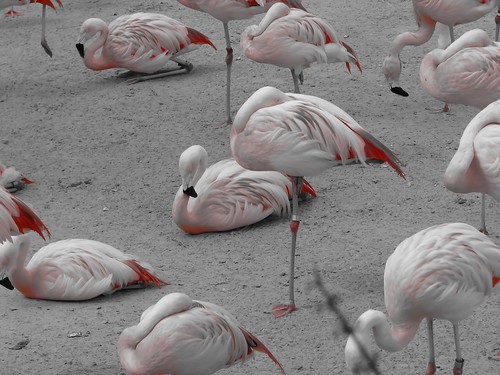
Scroll down, she took a photo at Rancho Zocala in black and white and showed only the reds...
http://www.disboards.com/showthread.php?t=2459566
Taken with a Canon Powershot SD780, has options for Vivid, Vivid Blue, Vivid Green, Vivid Red, Neutral, Sepia, Black & White, Positive Film, Lighter Skin Tone, Darker Skin Tone, Custom. Apparently the setting must have been set to Vivid Red?
I have a Canon Powershot A1000is. Only have options in My Colors for
Vivid, Neutral, Sepia, Black & White, Custom. Cant seem to find any setting on custom, it changes contrast, sharpness and saturation.
Is there another way to do this on my camera or do I need a better camera? LOL.
Thank you!
http://www.disboards.com/showthread.php?t=2459566
Taken with a Canon Powershot SD780, has options for Vivid, Vivid Blue, Vivid Green, Vivid Red, Neutral, Sepia, Black & White, Positive Film, Lighter Skin Tone, Darker Skin Tone, Custom. Apparently the setting must have been set to Vivid Red?
I have a Canon Powershot A1000is. Only have options in My Colors for
Vivid, Neutral, Sepia, Black & White, Custom. Cant seem to find any setting on custom, it changes contrast, sharpness and saturation.
Is there another way to do this on my camera or do I need a better camera? LOL.
Thank you!