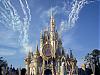
Do your Castle Pictures look tilted?

MyHappyPlaceToo

Earning My Ears
Joined
Sep 11, 2006
Messages
25
Hi All! I'm new - but I've lurked for a while and look forward to all the marvelous info to be obtained here!

When you take pictures of Cinderella's Castle do they often look tilted? If I'm not paying close attention, I end up with pictures that look like I'm tilting the camera to the left. :confused3 I KNOW that I am not. Is Main St. tilted? or am I just that bad at taking pictures? :rolleyes1
 
Could it be because the buildings on Main Street and the castle are built with forced perspective in mind? The upper floors are actually smaller in scale as you go higher, to make the buildings look much taller to the eye. Same kind of idea used on movie sets. So maybe captured in a photo, the difference is more evident. I think if you are photgraphing the castle front directly in front of it, ie, standing on Main Street, this is not as noticable.
 
If you have digital pictures of the castle, that 'tilting' is very easy to fix in a photo editing program. I know that Photoshop Elements 4.0 lets you straighten the image, and if you're using a Mac, so does iPhoto.
 

Google has a photoediting program called Picasa that has a tool to straighten out your digital photos. You can download it for free. Just enter "Picasa" in Google, and it should be the first link returned in the search.
 
Yep, my pictures always seem to do the same thing! And only with the castle. I always figured it had something to do with the forced perspective, but I don't know for sure.

Jen
 
When we went in 2004 we took a 35mm and I never noticed any of my pictures looking tilted but this year we took a digital camera and all of the castle pictures looked like they were taken with me leaning to the left.
 
The reason it looks tilted is your camera is not exactly perpendicular level to the ground (you have tilted the camera up to get the whole image) You will see this alot with pictures of tall buildings. You may not even be aware that you are doing it. If you put your camera on a tripod and make sure it is level you will not have the tilt, or you can just take the picture as you have always had and untilt it in any of the programs that the other people suggested.
 
I took 8 pictures of the pinball machines at our local bowling alley and every one of them was TILTED.


;)
 
Yes, many of mine come out tilted also. If I really need to, I just use the straightener function in my photo edit program.

And welcome to the DIS. :sunny:
 
Mine do too. I always thought it was just me being lame at taking pictures (which I am by the way.. I can't take good pictures.)
 
I have this problem with the Italy pavilion at Epcot! The Campanile ALWAYS looks tilted, whereas the palace and everything else is perfectly straight. Gives me a headache to look at those pictures.
 
Robo said:
I took 8 pictures of the pinball machines at our local bowling alley and every one of them was TILTED.
;)

Oh my gosh, I feel like such a dope. I was just about to say that the fact you took 8 pictures of pinball machines at a bowling alley is more of an issue than the tilted castle & I wanted more details. Then as I was quoting your post, I noticed your little wink at the bottom & re-read it. Whew, I’m glad I caught the joke & didn’t make myself look foolish by placing my original post. Of course, by explaining the story, I now not only look foolish, I sound like a rambling idiot. Is it time to go home yet?


Disney Vacation Planning. Free. Done for You.
Our Authorized Disney Vacation Planners are here to provide personalized, expert advice, answer every question, and uncover the best discounts. Let Dreams Unlimited Travel take care of all the details, so you can sit back, relax, and enjoy a stress-free vacation.
Start Your Disney Vacation
Disney EarMarked Producer

New Posts


DIS Facebook DIS youtube DIS Instagram DIS Pinterest DIS Tiktok DIS Twitter

Add as a preferred source on Google

Back
Top Bottom