And You Thought Digital Was Confusing?!

So I was right about my first roll being a snoozefest. I got the film developed today and had a total of 4 pictures that actually came out properly exposed from what I can see with the negatives. Most of the strip of negatives just look blank----probably because I took the pictures inside my office building and they were way underexposed.

Of those 4 pictures, 1 is a stop sign---1 is a no smoking sign on our office door and two are pretty much duplicates of this classic car that was sitting in our parking lot at work. EXCITING STUFF! ;)

No scanner yet, but if the one of the classic car comes out even scans as a recognizable image, I'll be sure to share. :)

On a happier note, when I dropped off my stuff at the camera store today I decided to look into chemicals for developing my own B&W. I bought all of the chemicals I needed and am headed out to Walmart now to pick up the supplies Jeff listed earlier. Hopefully by the end of next week, I'll be looking like a mad scientist in my upstairs bathroom developing my own 120.

Stay tuned, I'm sure there will be some sort of majorly embarassing story that comes along with my first shot at home development. :thumbsup2

 
Its really funny that you guys are going back to film. ;)

I miss my Kodachrome. Waiting for the slides to get back from the lab was like waiting for Christmas! :rotfl: Putting the slides on the light table, getting out my Zeiss lupe and viewing the photos was so much fun. What did I get? What did I get? :lmao:

BUT, looking at my photos on a nice monitor, NOW, without have to wait is soooo much better. :laughing: But I still miss my Kodachromes. I have paper boxes full of Kodachromes waiting to be scanned and printed... One day. :lmao:

I held on to my film cameras way too long. They lost quite a bit of value but I just could not part with them.

Enough of my rememberences. :rotfl2:

If you are developing your own film be careful with disposing of the chemicals if you are on a septic system. The chemicals can case problems in a septic system or so I have heard.

Have fun,
Dan
 
Alright Jeff, you asked for it. Here is my first scanned photo taken with the Holga. It is absolutely atrocious---but hopefully they get better as time goes on. I've got more question, if you don't mind answering. :goodvibes

636132483_EDM4h-M.jpg


1. Scanning is almost as hard as figuring this whole film thing out. Do you use the guides they give you for medium format film? If so---do you put your negatives between the glass and guide, or the guide and lid? I tried to put them between the glass and lid, but the freakin negatives are rolled, so they kept curling up before I could shut it.

2. Do you cut your own negatives and if so---do you cut them in strips of four?

3. If you do cut your own negatives, what do you use to cut them? Scissors, ruler and exacto knife, one of those paper slicers with the long blade? I used scissors today and naturally, they are crooked.

4. Why oh WHY does this picture look so blue? It's not just because it's shady, because I took a picture of a stop sign in full sunlight and you can't even tell the stop sign is remotely red.

636132469_PMChF-M.jpg


This is the same photo as above, but with the hue just slightly adjusted more towards the yellow side of the slider. The car is supposed to be yellow. It just looks off. Is this the film that I used (FujiReala), just one of those "wonderful" things the Holga does, or did I do something?

5. When you are using the Holga, do you actually adjust the lens to use the person, mountains, etc. for the distance between you and your subject? And in the same vein, do you also use the little aperture adjustment switch that has a cloud and a sun---or do these things make no difference at all?

No more film to scan thankfully. I got three pictures off of that whole roll, all of the others were basically black. Onto the next roll, hopefully I'll make it up to five keepers on this one. ;)
 
Alright Jeff, you asked for it. Here is my first scanned photo taken with the Holga. It is absolutely atrocious---

Absolutely atrocious?!!! That's a classic Pontiac Grand Prix with the "cat whisker" lights! Absolutely gorgeous!

Other than that, blame it all on the Holga! ;)
 

Absolutely atrocious?!!! That's a classic Pontiac Grand Prix with the "cat whisker" lights! Absolutely gorgeous!

Other than that, blame it all on the Holga! ;)

Oh believe me, the car is wonderful and looks muuuuuch better in person. One of the attorneys I work with has a collection of old cars---never thought to take pictures of them until I was walking through the parking lot with my dinky little Holga. Everytime I walked past it with my D90, wouldn't you know I didn't give it a second look? Funny how things work out.
 
Alright Jeff, you asked for it. Here is my first scanned photo taken with the Holga. It is absolutely atrocious---but hopefully they get better as time goes on. I've got more question, if you don't mind answering. :goodvibes

636132483_EDM4h-M.jpg


1. Scanning is almost as hard as figuring this whole film thing out. Do you use the guides they give you for medium format film? If so---do you put your negatives between the glass and guide, or the guide and lid? I tried to put them between the glass and lid, but the freakin negatives are rolled, so they kept curling up before I could shut it.

2. Do you cut your own negatives and if so---do you cut them in strips of four?

3. If you do cut your own negatives, what do you use to cut them? Scissors, ruler and exacto knife, one of those paper slicers with the long blade? I used scissors today and naturally, they are crooked.

4. Why oh WHY does this picture look so blue? It's not just because it's shady, because I took a picture of a stop sign in full sunlight and you can't even tell the stop sign is remotely red.

636132469_PMChF-M.jpg


This is the same photo as above, but with the hue just slightly adjusted more towards the yellow side of the slider. The car is supposed to be yellow. It just looks off. Is this the film that I used (FujiReala), just one of those "wonderful" things the Holga does, or did I do something?

5. When you are using the Holga, do you actually adjust the lens to use the person, mountains, etc. for the distance between you and your subject? And in the same vein, do you also use the little aperture adjustment switch that has a cloud and a sun---or do these things make no difference at all?

No more film to scan thankfully. I got three pictures off of that whole roll, all of the others were basically black. Onto the next roll, hopefully I'll make it up to five keepers on this one. ;)

I have found scanning to be a little frustrating myself- especially color. Here are some thoughts:

I cut mine into strips of 3 since the way the scanner negative guide is leaving it 4's makes one stick out the side- cutting it in 2's you don't have anything to hold onto. I cut them with scissors and then put in an envelope to flatten out. I use the guide holders that came with the scanner- the negatives clip inside the holder. You have to work to get them 'just-so' so that you can see the border all the way around the frame. (I guess you don't really- I just like to keep a hint of the border in my scan.)

I have my scanner set as follows for Color:

Professional Mode
Film
Color Negative Film
24 Bit Color
Resolution 2400
UN-Select 'Thumbnails'

Once you preview the file then click and drag the window you are scanning around the image so you are just scanning a single negative with a bit of the frame- the scanner usually makes some color and exposure adjustments then. Tweak the color and exposure if necessary- and scan. When you find some settings you like the look of be sure to save the settings.

3854402036_96c12aa49b_b.jpg


3853613911_9d6f4ab468_b.jpg


As for the Holga- yes I use the 'Focus' when I remember. :rolleyes1

I also leave the exposure to 'sunny' unless it is evening or inside- then 'cloudy'

Did you take off the white reflective backplate on the scanner lid for these scans? These look better than my first batch- it just takes practice.
 
I cut them with scissors and then put in an envelope to flatten out. I use the guide holders that came with the scanner- the negatives clip inside the holder. You have to work to get them 'just-so' so that you can see the border all the way around the frame. (I guess you don't really- I just like to keep a hint of the border in my scan.) [/IMG]

I didn't even see negatives clips---guess I wasn't paying much attention. I'll have to look next time I have another roll to scan.

Did you take off the white reflective backplate on the scanner lid for these scans? These look better than my first batch- it just takes practice.

I did, it wouldn't scan if I didn't take it off. I kept getting an error message telling me to remove the document mat or close the lid. Well, the lid was closed---so that only left one thing. Unfortunately, I didn't realize it just slid out attached to some plastic and actually started to try to peel it off. :scared1: Yes, I do realize I'm a moron. :rolleyes1 Thankfully I didn't even get one corner of the mat peeled off before realizing something wasn't right. :upsidedow
 
Jeff, any thoughts on the blue tint to my photos from this roll? Think it's the scanner settings, the film or neither? Yours have nice bright colors---which is what I'm hoping for eventually.

My first roll was Fuji Reala, this next roll is just regular Fuji color film and the roll after that will be Kodak Portra 400VC.

I'd like to buy a roll of whatever you shot those pics with to compare the color in your photos v. the ones I take to see if it's a user problem, a camera problem or a film problem. I really didn't like the blue tint and since it wasn't in RAW, I had no white balance adjustor to fix it with (reminds me of why I love digital so much)
 
I didn't even see negatives clips---guess I wasn't paying much attention. I'll have to look next time I have another roll to scan.

I did, it wouldn't scan if I didn't take it off. I kept getting an error message telling me to remove the document mat or close the lid. Well, the lid was closed---so that only left one thing. Unfortunately, I didn't realize it just slid out attached to some plastic and actually started to try to peel it off. :scared1: Yes, I do realize I'm a moron. :rolleyes1 Thankfully I didn't even get one corner of the mat peeled off before realizing something wasn't right. :upsidedow

The brackets that hold the film each have a little plastic door that opens- put the film inside and snap it shut.

Jeff, any thoughts on the blue tint to my photos from this roll? Think it's the scanner settings, the film or neither? Yours have nice bright colors---which is what I'm hoping for eventually.

My first roll was Fuji Reala, this next roll is just regular Fuji color film and the roll after that will be Kodak Portra 400VC.

I'd like to buy a roll of whatever you shot those pics with to compare the color in your photos v. the ones I take to see if it's a user problem, a camera problem or a film problem. I really didn't like the blue tint and since it wasn't in RAW, I had no white balance adjustor to fix it with (reminds me of why I love digital so much)

Who knows- I was getting very strange colors at first. Even when I was using the V300 before I upgraded- I would get good colors on 1/2 and then strange colors on the 2nd 1/2. :confused3 Now I get something I think looks good- until I do the next one and it looks really good- and makes the other one look not so good. It just takes some practice to get it right- mine are getting a little more consistent now. Keep in mind also with color films- they all have a WB- some are good for daylight- others are geared for indoors- etc. that can be part of it also.
 
Who knows- I was getting very strange colors at first. Even when I was using the V300 before I upgraded- I would get good colors on 1/2 and then strange colors on the 2nd 1/2. :confused3 Now I get something I think looks good- until I do the next one and it looks really good- and makes the other one look not so good. It just takes some practice to get it right- mine are getting a little more consistent now. Keep in mind also with color films- they all have a WB- some are good for daylight- others are geared for indoors- etc. that can be part of it also.

Just the fact that you weren't (and still aren't sometimes) getting colors you expected is enough reassurance for me. I have about 6 different types of film, one or two rolls each since I wanted to figure out what I liked so I'm sure one of those rolls will be satisfactory.

When I took my film in for developing, the man at the camera store ask what I was shooting medium format film with. I told him and Holga and he pulled a face and told me to just wait a few months and before I knew it, he'd have me shooting with a "real" medium format camera.

I knew I liked online shopping for a reason. Less face to face with people trying to convince me to buy everything under the sun. :rolleyes1
 
I can hardly argue- I already picked up a Super Ricohflex TLR and I keep looking at those Hasselblad 500's on Ebay- one day I'll find a bargain on one.
 
I can hardly argue- I already picked up a Super Ricohflex TLR and I keep looking at those Hasselblad 500's on Ebay- one day I'll find a bargain on one.

Saw that picture on your FlickR last night. Very cool, I'm sure you will work wonders with it.
 
Flatbed scanners with film/slide scanning capability require that you remove the white (sometimes black) liner from the lid for film and slide scanning.

The scanner might work without removing the liner but the menu selections like contrast and brightness would be vastly different compared with scanning documents.

Also, many flatbed film/slide scanners do not handle overexposed and underexposed film well. For example a dark slide may yield black and gray but not white and pastel colors no matter how you adjust the contrast. (A washed out slide may yield gray and white but not black or deep colors.)

You must not cut negative strips of four or fewer, otherwise commercial photofinishers may refuse to do reprints for you.
 
I got a few more rolls of film developed today and I've got to say I was very pleased to have more than 1 picture per roll that came out. I'm still getting used to the scanning (it seems like parts of my picture get cut off no matter what) but with the settings that Jeff noted above, the shots I scanned came out much better tonight.

Jeff---if you are reading this, do you use the 12 or 16 film mask? I have been using the 12, but I'm wondering if that is why part of my shots keeps getting cut off when I scan, maybe I need to shoot with the 16 on.

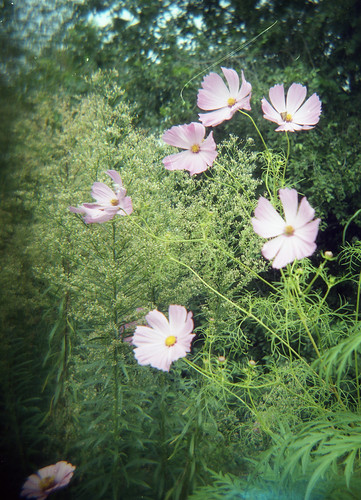
Here are a couple I liked enough to upload after scanning.

3901548391_aa67fb2022.jpg


3902395730_6dfbbb5d99.jpg


3901618873_287520a2d3.jpg


It's shots like this one that make me think I need to pay more attention to switching the focus to the correct distance whenever possible. Either too close to the bottle or I need to learn to put my subject directly in the center of the shot.

3902393730_153c164ac9.jpg
 
Looks good Ann. I love the tones in the first one- what film?

I have only used the 12 exposure mask since I like the square format. With the 16 you get 4 more shots per roll but narrow- like a 4x5 format or something- not sure. Are the exposures on your negatives square or rectangle? If it's your scanner clipping the images are you using the scanning brackets? I can just fit two exposures inside the 120 film bracket with a tiny bit of the edge of the exposure showing all around- they have to be set in there just right. Then after you 'preview' drag the box around the whole negative you want to scan. Be sure the 'thumbnail' box is unchecked or it will limit what it will scan.
 
Looks good Ann. I love the tones in the first one- what film?

I like that one too. All of my digitals that I convert to black & white, there seems to be something missing---they all come out dull. With the film, they look just as scanned above without adjustment. Definite :thumbsup2 for shooting film for black & white images rather than digital.

For those black & white shots, I used the film you recommended earlier in this thread----Kodak BW400CN that could be C-41 processed. I have all of my checmicals for home development of the TMax film, just need to buy the reel and stuff from B&H.

Are the exposures on your negatives square or rectangle? If it's your scanner clipping the images are you using the scanning brackets? I can just fit two exposures inside the 120 film bracket with a tiny bit of the edge of the exposure showing all around- they have to be set in there just right. Then after you 'preview' drag the box around the whole negative you want to scan. Be sure the 'thumbnail' box is unchecked or it will limit what it will scan.

They are square since I've been using the 12 exposure mask---and parts keep getting cut off in the scan. However that being said, I think I just realized my problem. I do have thumbnails enabled. I'll try unclicking "thumbnails" and scanning the next set with two shots per scan and hopefully that'll clear things up.
 
You are really getting good with this!
The name still brings back images of Belushi and the frat boys chanting "Hol-ga, Hol-ga...".
My style might be to drink two or three mojitos before taking photos of one. ;)
 
My style might be to drink two or three mojitos before taking photos of one. ;)

I don't drink---so I had to do something to pass the time while everyone else was getting bombed. :drinking1 ;)


Disney Vacation Planning. Free. Done for You.
Our Authorized Disney Vacation Planners are here to provide personalized, expert advice, answer every question, and uncover the best discounts. Let Dreams Unlimited Travel take care of all the details, so you can sit back, relax, and enjoy a stress-free vacation.
Start Your Disney Vacation
Disney EarMarked Producer


DIS Facebook DIS youtube DIS Instagram DIS Pinterest DIS Tiktok DIS Twitter

Add as a preferred source on Google

Back
Top Bottom