Sailing with DSLR

ember1205

Mouseketeer
Joined
Apr 15, 2019
Messages
317
Greetings.

Doing an adults only trip on the Fantasy in a few weeks (May 11, 2019 sailing) and will be 'getting off the boat' in Cozumel, Jamaica, and CC at a minimum. I have a Nikon D750 with a couple of decent lenses that I am considering taking with me for those "can't really capture this with a phone camera" type shots and am looking for some input and guidance from those that have taken higher-end photo equipment with them in the past.

We have a dinner at Palo on the first night and have requested to sit outdoors. I'm wondering if the sunset would be worth taking the camera to dinner that night (7:30 reservation, so we'll be there when the sun sets).

Is it risky to take that sort of stuff off the boat in port? I have a camera-specific backpack/case that tote everything in and it's impossible to open it while I have it on (the zipper is on the inside). So, none of the photo equipment could be taken out of it while we're walking around. Are there shots in any of the port areas that would really be worth taking it off of the boat there?

What about on CC? I'd love to have a super high quality 'selfie' with the boat in the background taken from the beach.

Both of the phones being brought along have terrific cameras (iPhone X and Pixel 3 XL), but I got shots with the DSLR from the Disney World trip in January that neither of the phones ever had a chance in capturing...

Any input on this from those with more experience than myself?
 
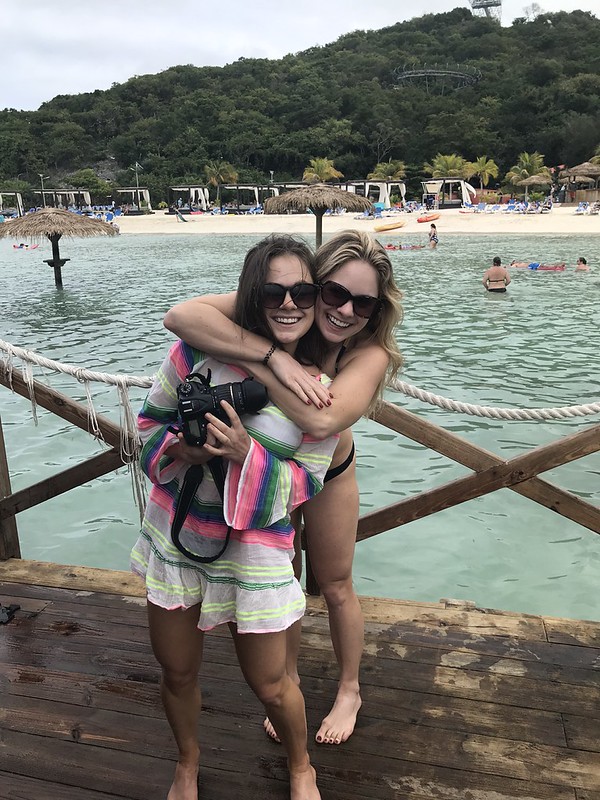
I've cruised a lot, and I pretty much have my DSLR on me at all times. I take it to dinner (with the speedlight for food photos), to the beach.... I've even waded out to a floating bar while carrying my DSLR (photographic proof below). The only times I leave my camera behind are if the excursion description leads me to believe I'll be doing a lot of swimming (snorkeling... but I'll leave it on the snorkel boat, river tubing, etc.).

My camera bag includes my standard walk-around Tamron 17-50mm and wide angle Tokina 11-16mm which I use to take stateroom photos and more creative shots. I bring my external speedlight which I typically put on my camera in the evenings - when I'm getting ready for dinner, I also get my camera ready for dinner by taking off my lens hood and attaching my speedlight. Going to port, I put a camera bag insert into a normal backpack (though I'm typically always wearing my DSLR around my neck). The gear I bring depends on what we're doing that day, but typically I'll leave the speedlight in the stateroom safe and decide whether or not to bring my wide angle lens. I am very cautious of changing lenses on the beach because I don't want to get salty air or sand anywhere near the sensor. I try to always change lenses indoors... but sometimes the shot just calls! Also, always carry a microfiber lens cloth to clean your lens and wipe away the fog.

It can be pretty humid outside - a stark contrast with the ship's air conditioning. If you know you're going to want to take photos as soon as you get off the ship, I'd recommend "warming up" your lens on your stateroom balcony, or walking around the outdoor deck to try to adjust your lens to the humidity and get rid of that annoying lens fog.

Depending on the duration of the cruise, I might do a mid-cruise "photo dump" and download my photos so far onto my computer for backup. More diligent people probably do this daily - but if something happens to your memory card, at least you'll have the photos you've downloaded. There is debate on whether it's better to split your photos up among many smaller memory cards, or less larger memory cards. Personally, I just put two 64 gb memory cards in my camera, and that should last me the entire cruise even if I'm shooting raw + fine JPEG.

You'll definitely want to bring your DSLR onto Castaway Cay - it's beautiful and pretty secure all-around. Depending on what you're doing in Jamaica, you might choose to leave your DSLR behind.... if you can't keep your camera with you at all times, I wouldn't suggest leaving it alone in your bag on a beach in Jamaica. Also, I wouldn't recommend bringing along to Dunn's River Falls just because it's very slippery and sometimes you have to hold hands with your group, and a camera would really get in your way and affect your mobility.

47191973902_1bdfdc14be_c.jpg
 
I've taken my good camera on excursions and walking around ports with no problem. I usually fit it with my 50-300 lens and wear it (don't take bag). It never comes off my neck. I've never taken it to CC but as long as you don't leave it unattended I don't see a problem.
 
I'll have to get on my laptop, but I take my Nikon d3000 every where.Theres things the dslrs can do that phone cameras cant. With the right lenses you can get some really great shots that are not possible otherwise.
 

Thanks for the feedback. I agree that a DSLR is superior to a phone camera in every way imagineable when it comes to the really important details. And I definitely want to use it whenever I can if possible. I will probably take it to CC to shoot some photos and then make a trip back to the boat when i’m done to put it away. Since it’s a private island, I don’t know what the real risk is of theft or whatever if it WERE left unattended, but it’s worth too much to test any theories.

I understand the thoughts about balancing card size and such to lose as little as possible from theft/loss/failure while not having to change out the cards all of the time. For me, I will have my iPad and download the photos directly from the camera every day. I also only shoot in raw mode and do all of my own post-processing.
 
We have a D810, so I understand where you are coming from. I definitely wouldn't leave it anywhere unattended, even on CC. I also wouldn't take it out of the port in Jamaica. If you want to take pictures in the small, artificial port that's behind gates, that would be fine. However, we have taken it off a boat in Barbados. We walked to the Mount Gay visitors center from the port and took some nice beach pictures along the way. We have also taken it to Remy for meals, especially dinner, since we usually eat near sunset.
 
Never on a Disney cruise, but I've taken my DLSR on pretty much every cruise since I've had one (for reasons already discussed), so here are my thoughts:
  • Swap memory cards every chance you're back at the ship. I bring a laptop because portable devices just don't have the storage capacity for me, but an iPad could do the trick.
  • Keep two copies of your photos at all times. Card + iPad, or iPad + External, or whatever. Two is one, one is none, and I've had SSDs fail on me before on trips.
  • Format your card each day before shooting with it, and never delete an image on the camera, otherwise you can end up with a corrupt card that needs recovery, especially with SD cards. Over a long trip, this can burn lots of memory cards if you don't have a second backup location, but as someone once told me, "Film is cheap dude, what's your time worth?" - 95 MB/s UHS-I cards are amazingly inexpensive nowadays - just be glad you don't need UHS-II or XQD!
  • Gaffer's tape or electrical tape is your friend - tape over the flash and Nikon logo on the D750 to keep sand and debris out, and it also makes it a bit less conspicuous. Similarly, a bit of gaffer's tape will seal the card door and grip connector nicely by keeping the unlocked door and flap in place. Pick up an SB-300 or used SB-400 if you feel you need to use a flash.
  • Don't change lenses unless you can keep sand out of the camera.
  • Every day, clean the camera and lenses. Bring a cleaning kit with you and be religious about it, never put your gear away wet or sandy.
  • Let the camera acclimate to the outside air in a sealed ziploc bag, so it comes to the higher outside temperature before it's exposed to the humidity. It's not just for lens fog issues, it's more to do with the fact that that same condensation is collecting inside of the camera itself on the circuit board which is directly against an uninsulated magnesium body. You have a D750, not a D500, D850, or D5, so you do have to be careful with this.
  • Don't use the Nikon D750 strap, nothing screams I have something valuable like a camera strap with the model number on it. For travel I either use a Blackrapid or a plain black NPS strap, but you can pick up an AN-4B or an OP/TECH quite cheaply.
  • If you have a premium compact camera, bring it as well. It's a great way to bring zoom and higher image quality when DSLR theft is possible, or when you're dressed up and don't want to carry such a big body with you. Or at very least, pack a 50mm lens of some description, or even the 40 or 58mm Voigtlander (which I can't recommend enough, incidentally) to bring the size down.
  • Finally, if you have the battery grip, bring the AA tray for it. I've had my MH-25 go out and the AA tray saved my bacon. It will 99.9% of the time never get unpacked from your luggage, but it weighs nothing and you already own it.
 
There is debate on whether it's better to split your photos up among many smaller memory cards, or less larger memory cards. Personally, I just put two 64 gb memory cards in my camera, and that should last me the entire cruise even if I'm shooting raw + fine JPEG.
A small point, but it's not much of a debate anymore with the current sizes in SD cards in modern UHS-I cameras. You want 64 GB cards to get the ExFAT file system of SDXC for better data integrity while still normally having MLC instead of TLC flash. 64 GB cards are also normally the fastest cards for SD shooters for similar reasons, in addition to being the most reliable as mentioned. Oh, and 32 GB and smaller use cases that tend to split when you get the major manufacturers, the 64 GB cards are bonded differently and more securely.

Whether you consider 64 GB big or small depends on your camera, shooting style, and subject of course, and different rules apply for XQD and CF. I will say though that I can and do go through a 64 GB card each day, depending on what I'm shooting. In the Caribbean probably not so much, and I shot only 120 GB on a weeklong cruise, but in a 3 hour trek through a temperate rainforest I shot over 100 GB shooting just compressed NEF (no JPEG). We're spoiled now as they're cheap enough, $22 for the really good ones, that you could easily get one per day; to put that in perspective, a single 36 exposure roll of Kodak E100 with processing mailer is $24.

Note that the 64 GB only works for UHS-I SD cards, as UHS-II and XQD have different configurations and different considerations, but that's another optic for another day. This is also subject to change as the manufacturers change their lineups, as it used to sit at 16 GB and 32 GB for the technology cutoffs (and yes, those older 16 and 32 GB cards are better than newer ones), but 64 GB will be where it's at for at least the next couple of years. :)
 
Back to your question on if there are photo ops in the port areas... I actually did this itinerary back in 2014 (so it's been five years - wow, felt like yesterday!) and can share my photos for an example of what there is to photograph. At the least, it will give you an idea of where the ship docks and how accessible ship photos are from the immediate port area.

Falmouth, Jamaica - http://www.victoriaonvacation.com/2014/06/2014-disney-fantasy-western-caribbean-Day5.html
If you want photos of the Margaritaville area, it's immediately where you dock, so you could take your camera off the ship, then take it back to your room if you're leaving the port area. I was definitely struggling with lens fog in Falmouth.

Cozumel - http://www.victoriaonvacation.com/2014/05/2014-disney-fantasy-western-caribbean_27.html
There are actually two possible docking locations in Cozumel. I believe the Disney ships dock at the "old terminal" Punta Langosta - but once we arrived on another cruise line and docked at the "new" (it's been like 10 years now since it opened) terminal Puerta Maya.... I think mainly Carnival/Princess ships dock over there.

So you're staying on the ship in Grand Cayman? Not a bad choice. I've been to Grand Cayman many times, and the last time we were there, we realized we would have rather stayed on the ship that day rather than dealing with tender lines.

I have a D7100, not the cheapest of the crop sensors, but I'm not sure I would be as adventurous with a full frame camera, so I understand your hesitation is greater than mine! If you're really serious about getting those better-than-phone photos, you might consider buying/renting a "cheap" D3500 kit. Maybe that's crazy?? But, I mean, a D3500 costs less than a quality full-frame lens, so if you consider that, maybe it's a reasonable option. I'm just throwing this out there because I think if I were ever to upgrade to full frame, I would still want to keep the D7100 for adventures.... but maybe not. Maybe once you go full frame, you never go back?!

Tom Bricker travels with his full frame camera and has been into cruising lately. He's a photographer for a living, so I just assume his camera is always on him. If his photos don't make you want to bring your camera, then you should definitely leave it on the ship! https://www.disneytouristblog.com/3-night-bahamian-disney-cruise-line-report-part-3/
 
A small point, but it's not much of a debate anymore with the current sizes in SD cards in modern UHS-I cameras.

Ah, my knowledge is just out of date. I was once a much bigger nerd about these things, discussing them on forums and reading all of the blogs... but that was back when I was just a teen and I could spend all of my fun money on camera equipment. Now that money pays the rent and my time is spent at my day job, haha! But I still enjoy the discussion - this is the first time I've felt strongly compelled to write on the DISboards in awhile!
 
Ah, my knowledge is just out of date. I was once a much bigger nerd about these things, discussing them on forums and reading all of the blogs... but that was back when I was just a teen and I could spend all of my fun money on camera equipment. Now that money pays the rent and my time is spent at my day job, haha! But I still enjoy the discussion - this is the first time I've felt strongly compelled to write on the DISboards in awhile!
I'm very fortunate that my spouse indulges my hobby, even when I'm slinging around something like an F5 and a bag full of slide film.:lovestruc
 
I worried a little before bringing our Fuji along with us doing a non-tourist-area food tour on Cozumel, but in the end I thought "I spent a lot of money for a camera, did I really spend that much to leave it at home?" (Admittedly, one of the benefits of mirrorless is it's a lot less obviously an expensive camera.)
 
Back to your question on if there are photo ops in the port areas... I actually did this itinerary back in 2014 (so it's been five years - wow, felt like yesterday!) and can share my photos for an example of what there is to photograph. At the least, it will give you an idea of where the ship docks and how accessible ship photos are from the immediate port area.

Falmouth, Jamaica - http://www.victoriaonvacation.com/2014/06/2014-disney-fantasy-western-caribbean-Day5.html
If you want photos of the Margaritaville area, it's immediately where you dock, so you could take your camera off the ship, then take it back to your room if you're leaving the port area. I was definitely struggling with lens fog in Falmouth.

Cozumel - http://www.victoriaonvacation.com/2014/05/2014-disney-fantasy-western-caribbean_27.html
There are actually two possible docking locations in Cozumel. I believe the Disney ships dock at the "old terminal" Punta Langosta - but once we arrived on another cruise line and docked at the "new" (it's been like 10 years now since it opened) terminal Puerta Maya.... I think mainly Carnival/Princess ships dock over there.

So you're staying on the ship in Grand Cayman? Not a bad choice. I've been to Grand Cayman many times, and the last time we were there, we realized we would have rather stayed on the ship that day rather than dealing with tender lines.

I have a D7100, not the cheapest of the crop sensors, but I'm not sure I would be as adventurous with a full frame camera, so I understand your hesitation is greater than mine! If you're really serious about getting those better-than-phone photos, you might consider buying/renting a "cheap" D3500 kit. Maybe that's crazy?? But, I mean, a D3500 costs less than a quality full-frame lens, so if you consider that, maybe it's a reasonable option. I'm just throwing this out there because I think if I were ever to upgrade to full frame, I would still want to keep the D7100 for adventures.... but maybe not. Maybe once you go full frame, you never go back?!

Tom Bricker travels with his full frame camera and has been into cruising lately. He's a photographer for a living, so I just assume his camera is always on him. If his photos don't make you want to bring your camera, then you should definitely leave it on the ship! https://www.disneytouristblog.com/3-night-bahamian-disney-cruise-line-report-part-3/

My D750 was a recent upgrade from my D90, which I still have. While the D90 takes very nice photos in its own right, the photos I got from my most recent trip to Disney World blow away anything I ever got from the D90. So, similar to @Numtini above, I didn't make the move to the D750 to NOT use it. :)

I will be sure to bring a gallon freezer bag to store the camera in and to use as a moisture buffer when I bring it out for photos. I have always practiced this process, going back to my Minolta X370 (Nikon N70 and D90 in between) but wasn't really sure what to expect on this cruise. My last cruise was Eastern Caribbean on the Dream in 2014, and that cruise sucked overall (weather, couldn't get into CC, terrible second day at sea when CC canceled). The last cruise PRIOR to that was in '98 and I don't remember much about the weather. PLUS... both other cruises were in November/December... different weather.
 
I bring my D600 on every cruise, along with some lens gear (depending on itinerary). While it may not be practical to carry a full size DSLR on every excursion, it's more of a question of priorities: what is more important, potential loss / damage to your camera (which can occur anywhere), or a missed opportunity for some amazing shots? In a way, going with a cheaper DX camera might be an acceptable compromise, but a built-in camera in an iPhone X is a compromise too.
 
A small point, but it's not much of a debate anymore with the current sizes in SD cards in modern UHS-I cameras. You want 64 GB cards to get the ExFAT file system of SDXC for better data integrity while still normally having MLC instead of TLC flash. 64 GB cards are also normally the fastest cards for SD shooters for similar reasons, in addition to being the most reliable as mentioned. Oh, and 32 GB and smaller use cases that tend to split when you get the major manufacturers, the 64 GB cards are bonded differently and more securely.

Whether you consider 64 GB big or small depends on your camera, shooting style, and subject of course, and different rules apply for XQD and CF. I will say though that I can and do go through a 64 GB card each day, depending on what I'm shooting. In the Caribbean probably not so much, and I shot only 120 GB on a weeklong cruise, but in a 3 hour trek through a temperate rainforest I shot over 100 GB shooting just compressed NEF (no JPEG). We're spoiled now as they're cheap enough, $22 for the really good ones, that you could easily get one per day; to put that in perspective, a single 36 exposure roll of Kodak E100 with processing mailer is $24.

Note that the 64 GB only works for UHS-I SD cards, as UHS-II and XQD have different configurations and different considerations, but that's another optic for another day. This is also subject to change as the manufacturers change their lineups, as it used to sit at 16 GB and 32 GB for the technology cutoffs (and yes, those older 16 and 32 GB cards are better than newer ones), but 64 GB will be where it's at for at least the next couple of years. :)

I have three 64G UHS-I and two 128G UHS-I Sandisk, 95 M/s cards that are all brand new as of January. The camera has the ability to duplicate everything (uses two cards at a time), put Raw on one and Processed on the other, or just combine them (roll over to second card if/when the first fills up). I shot about 1300 photos over five park days and only consumed about 50-60G in total when it was all said and done.

I'm not bringing a laptop - just my iPad. And that's really just for doing some post-processing to send photos home from port days (free WiFi places). I will look into getting some additional cards and simply rotating them out as time wears on.
 
I bring my D600 on every cruise, along with some lens gear (depending on itinerary). While it may not be practical to carry a full size DSLR on every excursion, it's more of a question of priorities: what is more important, potential loss / damage to your camera (which can occur anywhere), or a missed opportunity for some amazing shots? In a way, going with a cheaper DX camera might be an acceptable compromise, but a built-in camera in an iPhone X is a compromise too.

Yep. Agreed all around.

My biggest concern with the port days is knowing whether I'm 'asking for trouble' or not. Most cruise ports are tourist meccas and crime is much higher because of the people that do things to invite problems. I don't want to be one of those people.

My Pixel 3 XL takes simply awesome pictures, ESPECIALLY for a phone. And, since I shoot with RAW mode enabled, I also get the un-retouched version of the shot like I would from my camera. But, 24MP versus 12MP and a Full Frame sensor with Nikkor optical zoom are on another level from the phone. A much, much different level.
 
I worried a little before bringing our Fuji along with us doing a non-tourist-area food tour on Cozumel, but in the end I thought "I spent a lot of money for a camera, did I really spend that much to leave it at home?" (Admittedly, one of the benefits of mirrorless is it's a lot less obviously an expensive camera.)
That's how I think about it as well. I'll put my camera in harm's way to get the shot, and if it's stolen it's covered under my homeowner's insurance.

Aside, although theft in general is exceedingly unlikely so long as you are diligent, as my insurance agent informed me, statistically the smaller a camera is the more likely it is to be stolen while on your person, the larger it is the more likely it is to be stolen while unattended, and the larger it is the less likely it is to be stolen period, for the number insured. His suggestion is that there's a more laissez-faire attitude towards securing smaller bodies, and larger ones are more difficult to make disappear quickly, as I could pocket a Fuji but good luck pocketing a D750. Also, a large DSLR doesn't bring it much if any more for the thief than a decent compact camera, because they're less easily fenced since they tend to be serial number tracked more easily - for instance, there are only about 60,000 D500's in North America, and only about half of those are in consumer's hands, so recovery is much more likely.
 
I have three 64G UHS-I and two 128G UHS-I Sandisk, 95 M/s cards that are all brand new as of January. The camera has the ability to duplicate everything (uses two cards at a time), put Raw on one and Processed on the other, or just combine them (roll over to second card if/when the first fills up). I shot about 1300 photos over five park days and only consumed about 50-60G in total when it was all said and done.
Yeah, Nikon's good about handling dual slots. Also, the two slots are both matched, unlike some cameras (like mine...), which helps with flexibility quite a bit. With those cards and shooting habits, I'd consider using a 128 GB card in Slot 2 as NEF backup and use it for the entire trip, and rotating out the Slot 1 card every day with a 64 GB card. It should net you a decent backup while still protecting you from the long use card issues.

You can also do a card to card copy (it's not super fast but definitely do-able) and use the second 128 GB card to leave in the stateroom or similar.

If you do decide to pick up a back up DX body as another user suggested, I'd look into a used/refurb D7k series, since it uses the same control layout and accessories as your D750 (the D750 is basically a D7200 with tilty screen and FX sensor). And if you want to shoot wildlife on an upcoming trip, it may be a good idea in general since you then get to choose pixel density for longer telephoto reach versus DR and ISO performance. But of course, DX vs FX is really changing out a lot of how your kit shoots so I don't know that it would be the best backup option compared to, say, a D610, another D750, or even going super cheap and using an N80 or a compact like the P7700 or similar. It really gets into a whole different discussion than just a cruise.
 
Yeah, Nikon's good about handling dual slots. Also, the two slots are both matched, unlike some cameras (like mine...), which helps with flexibility quite a bit. With those cards and shooting habits, I'd consider using a 128 GB card in Slot 2 as NEF backup and use it for the entire trip, and rotating out the Slot 1 card every day with a 64 GB card. It should net you a decent backup while still protecting you from the long use card issues.

You can also do a card to card copy (it's not super fast but definitely do-able) and use the second 128 GB card to leave in the stateroom or similar.

If you do decide to pick up a back up DX body as another user suggested, I'd look into a used/refurb D7k series, since it uses the same control layout and accessories as your D750 (the D750 is basically a D7200 with tilty screen and FX sensor). And if you want to shoot wildlife on an upcoming trip, it may be a good idea in general since you then get to choose pixel density for longer telephoto reach versus DR and ISO performance. But of course, DX vs FX is really changing out a lot of how your kit shoots so I don't know that it would be the best backup option compared to, say, a D610, another D750, or even going super cheap and using an N80 or a compact like the P7700 or similar. It really gets into a whole different discussion than just a cruise.

As mentioned... I still have my D90 that I bought new. My FX lenses will work fine on the DX body (which would give me the full VR capabilities as well), but I didn't buy the D750 to let it sit in the closet. Now, at the same time, the D90 has no significant resale value. So, I might hang onto it and see if could sell the lenses off by themselves as they bring no value to me compared to my other lenses.

For the cards, I think I'm going to buy a couple more 32G cards since they're about $26/each. That will give me 3 64's, 2 128's, and 2 32's overall. Super easy to just swap the cards each day or whatever, and I -ONLY- shoot RAW (NEF). I don't bother having the camera waste CPU and battery cycles to post-process into JPG since I will be doing that anyhow after-the-fact.
 
As mentioned... I still have my D90 that I bought new. My FX lenses will work fine on the DX body (which would give me the full VR capabilities as well), but I didn't buy the D750 to let it sit in the closet. Now, at the same time, the D90 has no significant resale value. So, I might hang onto it and see if could sell the lenses off by themselves as they bring no value to me compared to my other lenses.

For the cards, I think I'm going to buy a couple more 32G cards since they're about $26/each. That will give me 3 64's, 2 128's, and 2 32's overall. Super easy to just swap the cards each day or whatever, and I -ONLY- shoot RAW (NEF). I don't bother having the camera waste CPU and battery cycles to post-process into JPG since I will be doing that anyhow after-the-fact.
For me with cameras as old as the D90, I like finding someone who will use them and enjoy them and passing them on once I no longer have a use for them but they're otherwise perfectly good.

I'll PM you a couple of links to 64 GB cards for $22 (not fake, the real deal from good vendors). The same places also have the 32 GB cards for I think $14 or so, and many places will price match them.

I only shoot raw as well, and the real waste is in card write time and space to shoot NEF+JPEG, as Nikon's raw files actually contain an embedded full resolution basic JPEG file in them that's what the camera uses to display it on the screen, so if you want a JPEG immediately for any reason you can copy it out with a few taps and a bit of software. Sports shooters will often shoot raw only and strip the JPEG out for immediate social media and online publication, keeping the NEFs for later processing for print media or other portfolio work.
 

GET UP TO A $1000 SHIPBOARD CREDIT AND AN EXCLUSIVE GIFT!

If you make your Disney Cruise Line reservation with Dreams Unlimited Travel you’ll receive these incredible shipboard credits to spend on your cruise!


DIS Facebook DIS youtube DIS Instagram DIS Pinterest DIS Tiktok DIS Twitter

Add as a preferred source on Google

Back
Top Bottom