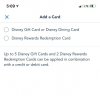
Linking Disney Rewards Card to Disneyland App?

joshua4

DIS Veteran
Joined
Dec 12, 2000
Messages
592
I went into the app and tried to edit payment options. I see where you can put a credit card number in but there is no drop down for rewards card. I googled it and it says that you can use rewards card for paying for mobile order but does that mean I will have to enter the card number every time I do a mobile order? How about paying for LL? Is there a general disneyland customer service number I need to call? Thanks
 
I went into the app and tried to edit payment options. I see where you can put a credit card number in but there is no drop down for rewards card. I googled it and it says that you can use rewards card for paying for mobile order but does that mean I will have to enter the card number every time I do a mobile order? How about paying for LL? Is there a general disneyland customer service number I need to call? Thanks

Yep, you cannot store a gift card as a payment option. You have to enter the card number every time you make a transaction. You can create a note/memo on your phone with the giftcard number and then just copy/paste it each time, which is faster than manually entering it.

They will not allow for a payment method that has a limited amount of funds, because you can only use one payment method in the app.
 
I was told this was possible (purchasing Genie+ and LL+ using Disney Visa Rewards redemption points). However, when I tried this a couple weeks ago while visiting the parks, whenever I clicked on the "Use a different method of payment" for Genie+ or LL+, I got redirected to an info page about payment and could never get this to work.

However, I was able to use my Visa redemption points to pay for mobile orders, merchandise, or sit down meals. The mobile ordering went directly to the correct place when I clicked "use a different method of payment". So something is or was wonky about Genie+ and LL+ a couple weeks ago.

I added my redemption card number and security number in my Notes app. Also a good hint, is add the value in the app too, so you can keep track of how much you have.
 

Yep, you cannot store a gift card as a payment option. You have to enter the card number every time you make a transaction. You can create a note/memo on your phone with the giftcard number and then just copy/paste it each time, which is faster than manually entering it.

They will not allow for a payment method that has a limited amount of funds, because you can only use one payment method in the app.
You just answered the question I was going to ask. Thank you. Does the option to pay with a gift card come up every time you check out (mobile order, lightning lane, etc.)?
 
Yep, you cannot store a gift card as a payment option. You have to enter the card number every time you make a transaction. You can create a note/memo on your phone with the giftcard number and then just copy/paste it each time, which is faster than manually entering it.

They will not allow for a payment method that has a limited amount of funds, because you can only use one payment method in the app.

I found out last weekend that you can now use multiple payment methods for one transaction, at least for mobile ordering food.

B1FD3A2D-CC1C-4F97-A629-807056F627B9.jpeg


Disney Vacation Planning. Free. Done for You.

Our Authorized Disney Vacation Planners are here to provide personalized, expert advice, answer every question, and uncover the best discounts. Let Dreams Unlimited Travel take care of all the details, so you can sit back, relax, and enjoy a stress-free vacation.
Start Your Disney Vacation
Disney EarMarked Producer


DIS Facebook DIS youtube DIS Instagram DIS Pinterest DIS Tiktok DIS Twitter

Add as a preferred source on Google

Back
Top Bottom